

Defold release 1.13.1
By The Defold Foundation on Aug 17, 2026
Tagged as: News, Release, 3d, 2d, Editor, Automation, Input, Performance, Shaders
Defold 1.13.1 is now available. This release introduces a new lighting workflow for both 2D and 3D projects, significantly expands what can be built with editor scripts and the editor HTTP API, improves gamepad compatibility, shortens iteration times in large projects, improves editor tools, with infrastructure changes that make Defold easier to automate, integrate Defold with external development tools, or scale to larger projects. New engine and platform APIs make it easier to build native extensions, or stream collections. The release also continues the work started in Defold 1.13.0. Models using morph targets can now be instanced.
Before updating an existing project, we recommend reviewing the full release notes, particularly the Xcode and custom Info.plist migration note.
Key changes in Defold 1.13.1
In short, Defold 1.13.1 introduces, among other things:
- new Light components for ambient, directional, point, and spot lights;
- editor support for creating, editing, positioning, and previewing lights;
- automatic binding of active light data to compatible shaders through
LightBuffer; - instancing support for models using morph targets;
- broader controller compatibility through the SDL game controller database;
- borderless fullscreen by default on desktop platforms;
- asynchronous collection loading through
collectionproxy.load(); - a new C API for making HTTP requests from native extensions;
- richer editor-script dialogs, tabs, image processing, commands, and UI states;
- new
/refand/previewendpoints in the editor HTTP API; - a well-known
installations.jsonfile for locating installed Defold editors; - warm builds that are up to 19% faster in large projects;
- configurable mouse bindings for Scene View navigation and editing;
- fuzzy symbol search in the code editor;
- support for resource archives larger than 4 GiB;
- improved HTML5 audio playback and Ogg/Vorbis decoding;
- an experimental Metal graphics backend for local engine builds;
- numerous engine, editor, build-system, and platform fixes.
Light components for 2D and 3D projects
One major new feature in Defold 1.13.1 is the introduction of first-class Light components. Defold now supports four light resource types:
- ambient lights;
- directional lights;
- point lights;
- spot lights.
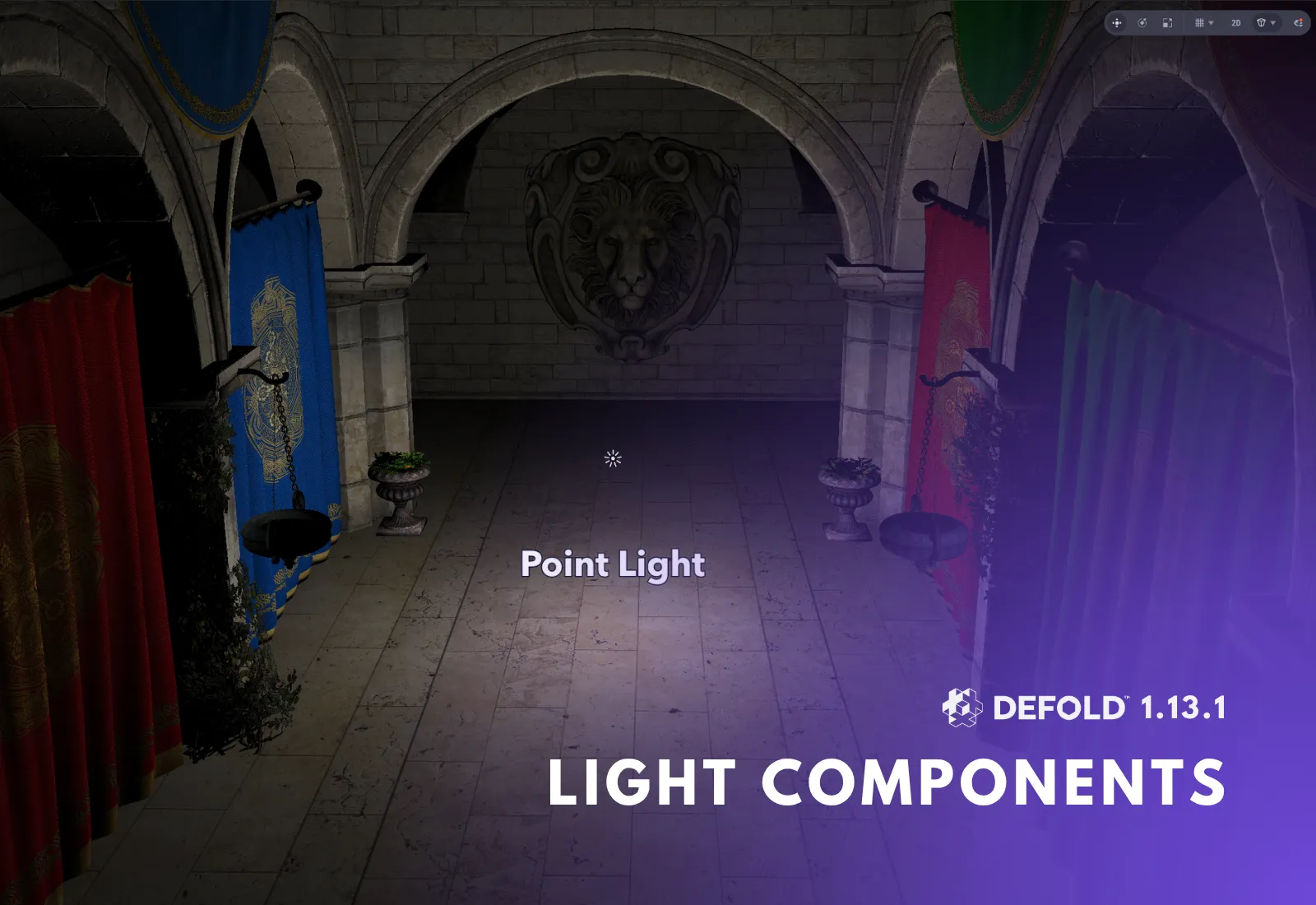
Ambient lights provide a constant contribution across the scene. Directional lights represent light arriving from a direction, such as sunlight or moonlight. Point lights emit outward from a position, while spot lights produce a directional cone with configurable inner and outer angles.
Light resources can be added to game objects like other Defold components. They can be created and configured directly in the editor, where their position, direction, range, color, intensity, or cone angles can be adjusted and previewed in Scene View.
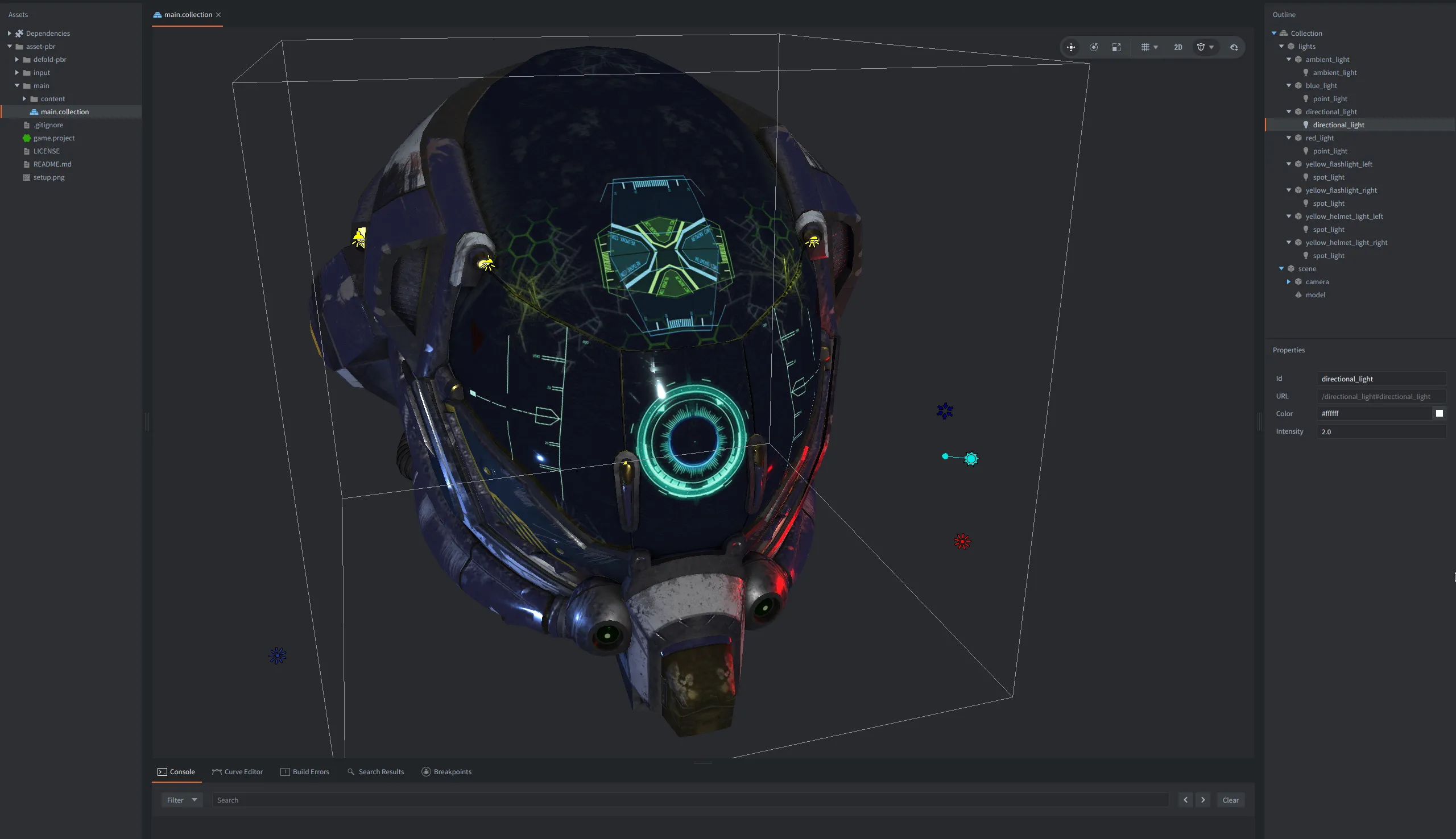
Defold does not force a specific rendering or lighting model on a project. Instead, the engine collects active light data and makes it available to compatible shaders through a built-in LightBuffer. A shader that declares the expected buffer layout receives the populated light data automatically.
This keeps Defold’s rendering pipeline flexible. Projects can use the built-in lit model materials, adapt the provided lighting helper, or implement a completely custom lighting model while still using Light components as the authoring and runtime data source.
Check out also our Defold PBR Assets project with shaders utilising the new Lights components.
Lights affecting models using Defold PBR assets
Lights are not limited to 3D games. The same data can be consumed by custom sprite (or tilemaps or particlefx) materials, making it possible to build dynamic 2D lighting.
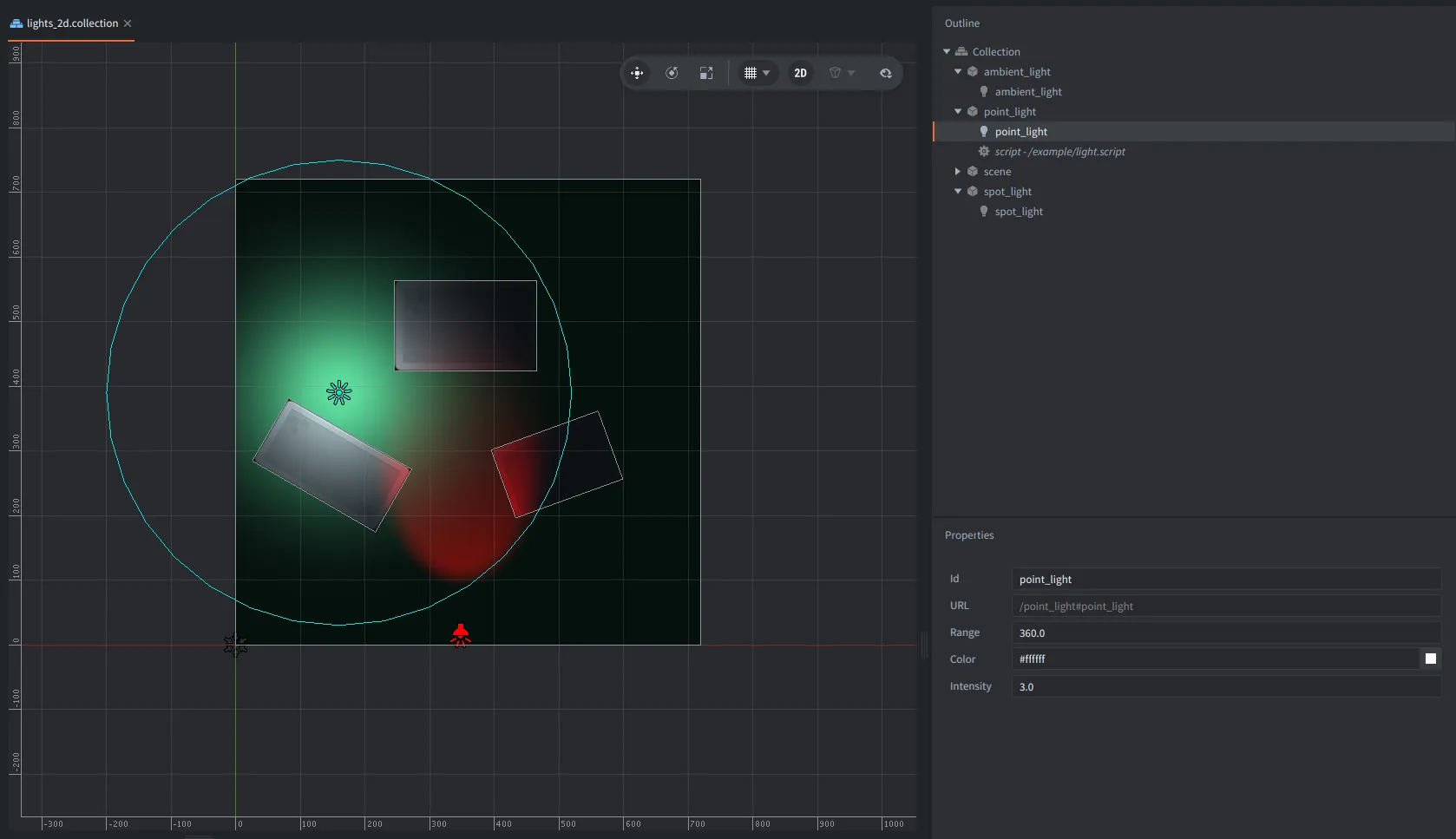
The Light component manual explains the component properties, project limits, shader buffer layout, and built-in lighting helper. You can also explore the Basic Lights 2D and Basic Lights 3D examples.
The release also improves the built-in lit materials used with skinned models and increases world-matrix precision for lit materials on ES2-based graphics backends. These changes improve normal handling and reduce lighting artifacts around model edges.
Instancing for models with morph targets
Defold 1.13.0 introduced support for morph targets, also known as blend shapes. Defold 1.13.1 extends this support by allowing models with morph targets to participate in GPU instancing.
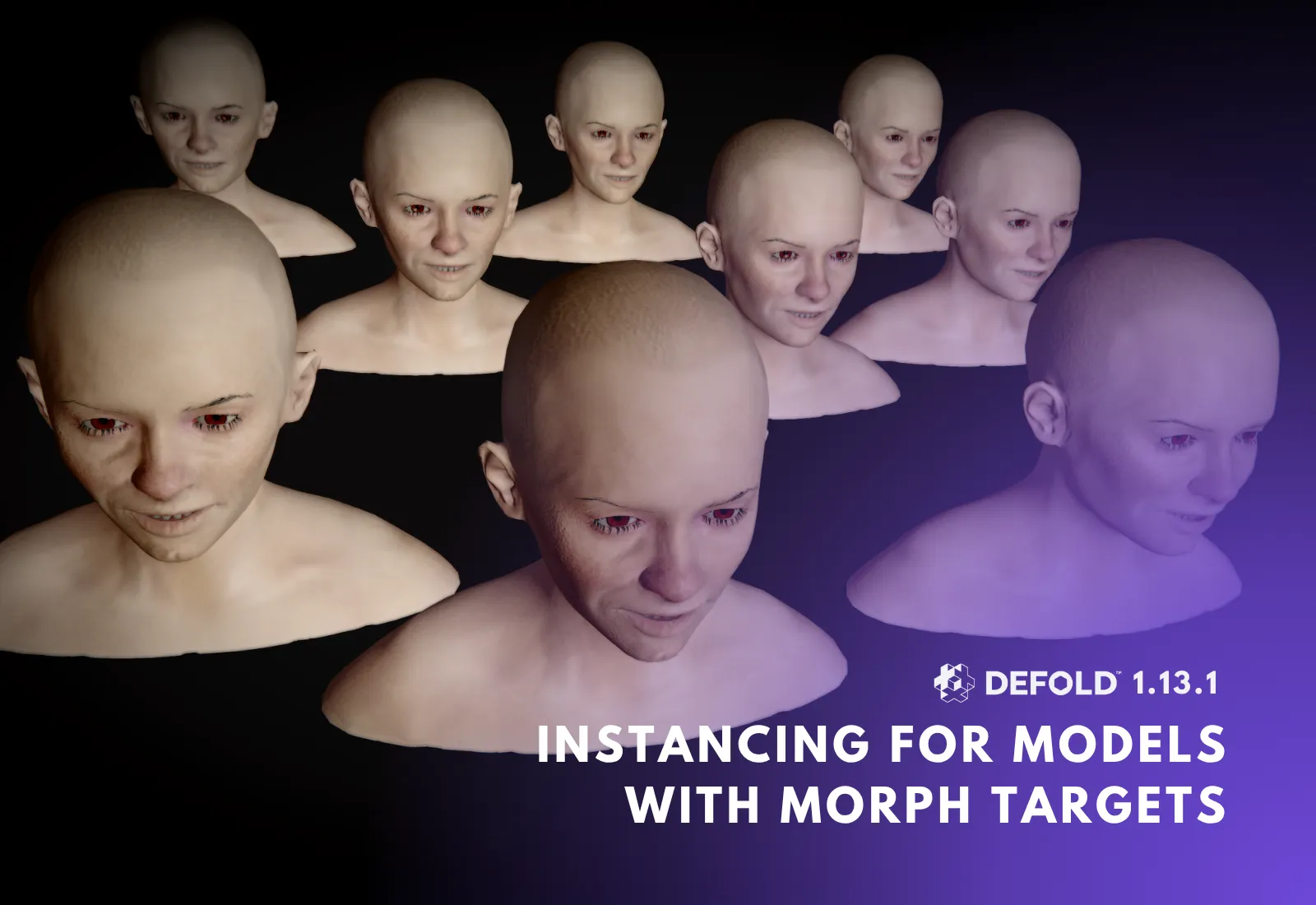
A new SEMANTIC_TYPE_MORPH_TARGET_WEIGHTS vertex attribute semantic can be used to supply morph target weights as per-instance data. A shader attribute named morph_targets_weights tells the engine to include the weights in the instance buffer alongside attributes such as mtx_world and mtx_normal.
This is useful when rendering many copies of the same model while giving each instance a different expression, deformation, or visual state. Instanced crowds or e.g. vegetation can use the same mesh and material while varying their morph target weights individually.
Broader gamepad compatibility
Defold 1.13.1 adds support for the widely used SDL game controller database. This database provides standardized mappings for a broad range of controllers and platforms.
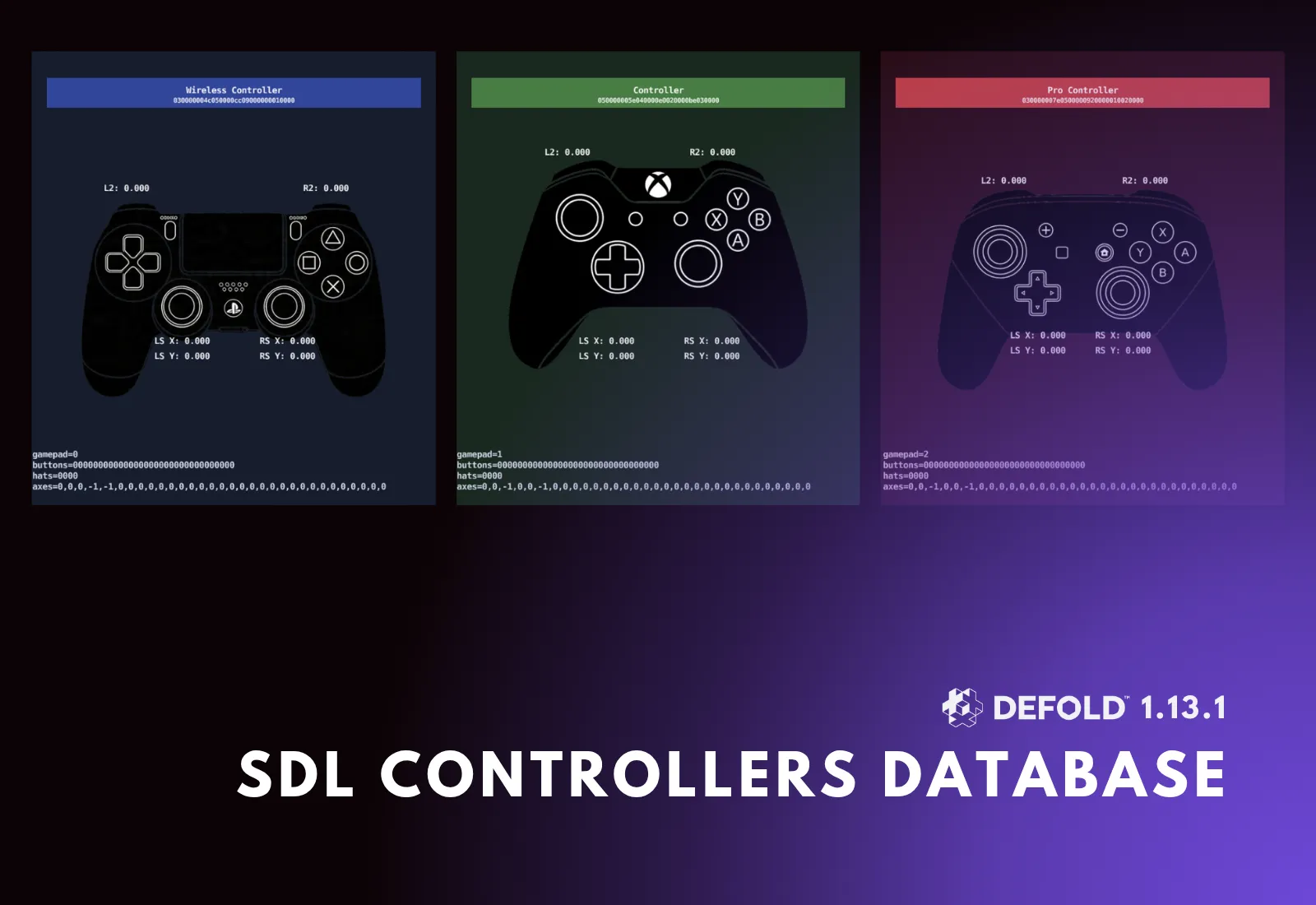
SDL mappings are enabled by default. At runtime, Defold first attempts to match a connected controller by its GUID and then falls back to the legacy device-name matching system. A new input.gamepad_deadzone project setting controls the dead zone used with SDL mappings.
The existing .gamepads format remains supported, which allows current projects to migrate gradually. The gdc tool has also been updated to output the new SDL mapping format.
This should reduce the amount of controller-specific configuration needed and improve the likelihood that a connected gamepad works with the expected layout. See the Gamepad input manual and the Gamepad Tester example for more information.
More powerful editor scripts
The Editor Scripts API has received a great set of expansions. Editor extensions can now create more capable tools that remain useful while developers continue working in the main editor, as dialogs created with editor.ui.dialog() can be non-modal, resizable, and given a predefined width and height. A non-modal tool can stay open while the user selects resources, changes properties, edits a scene, or navigates between files.
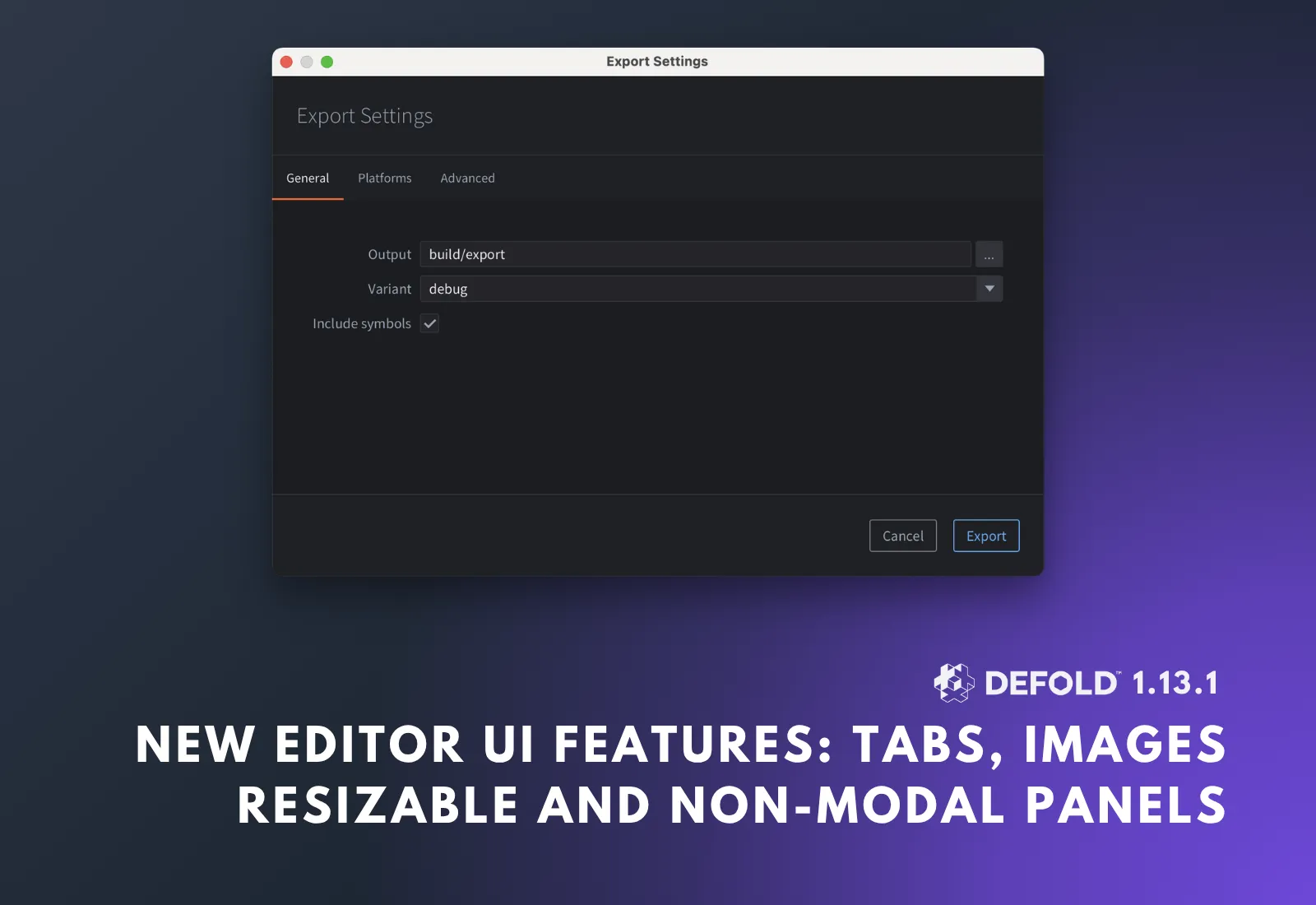
Editor-script interfaces can also use tabs through editor.ui.tabs() and editor.ui.tab(), as well as checkboxes with an indeterminate state. We hope to see even more tools with interfaces inside Defold.
The new image module allows editor scripts to load image files, read their dimensions, inspect individual pixels, and iterate over all pixels. This creates new possibilities for e.g. asset validation, palette analysis, source-image processing, texture tooling, etc.
Commands can now target a Code location and query the active editor view. An editor script can determine whether the active view is a code editor, scene, HTML view, or form, inspect the resource being displayed, and check whether it has unsaved changes.
Editor scripts can also call editor.fetch_libraries() programmatically. The editor provides clearer feedback when scripts are reloaded and notifies the user when dependency changes require reloading scripts or fetching libraries.
These additions should hopefully make editor extensions feel more like integrated development tools.
New editor HTTP API endpoints
Defold 1.13.0 introduced a local authenticated /eval endpoint. Next version - Defold 1.13.1 continues expanding the editor’s HTTP API with two endpoints aimed at external tools, automated workflows, or coding agents.
The new /ref endpoint exposes Defold API reference information from the running editor. External tools can query functions, messages, properties, and other API entries without maintaining a separate copy of the documentation.
curl -s "http://localhost:$(cat .internal/editor.port)/ref?q=go.animate" \
  | jq '.[0] | {name, type, brief}'
The new /preview endpoint renders project scenes and returns them as PNG images. This is particularly useful for visual automation workflows. An external tool can modify a scene through the editor API, request a preview, inspect the result, and continue iterating automatically.

The editor’s OpenAPI description remains the entry point for discovering the available endpoints:
http://localhost:$(cat .internal/editor.port)/openapi.json
Defold also writes the location of installed editors to a well-known installations.json file. Third-party IDEs, launchers, command-line tools, or automation systems can use this information to locate the editor executable and installation directory automatically.
The file is written to:
~/Library/Application Support/Defold/installations.jsonon macOS;${XDG_STATE_HOME:-~/.local/state}/Defold/installations.jsonon Linux;%LOCALAPPDATA%\Defold\installations.jsonon Windows.
Together, /eval, /ref, /preview, the OpenAPI specification, and installation discovery provide a stronger foundation for integrating Defold with external IDEs, automated tests, custom pipelines, and AI-assisted development tools.
We’ve added 5 more manuals touching topics of automation workflows, automated testing, validation, AI agents coding, and the expanding Engine and Editor HTTP services.
Faster warm builds and smoother iteration
Large projects benefit from a substantial improvement to warm build performance. In the test project used during development, a warm build with an existing build cache improved from 3 minutes 16 seconds to 2 minutes 37 seconds—up to 19% faster. The exact improvement depends on the project, hardware, and resources.
Other workflow improvements:
- recent projects remain on the welcome screen until explicitly removed;
- idle editor CPU usage has been reduced;
- dependency fetch timeout handling has been improved;
- Bob cleans up temporary build files more reliably;
- the custom debug resolution setting is now project-specific;
- invalid resources created or edited by editor scripts produce clearer errors.
These changes are less visible, but they improve the development loop every day.
Platform improvements
Desktop fullscreen now uses borderless windowed fullscreen by default. When display.fullscreen is enabled, Defold creates a borderless window that covers the display instead of using the previous exclusive fullscreen mode.
For most games, borderless fullscreen provides smoother switching between the game and other applications and avoids some display-mode transitions. Projects that depend on the old behavior should test their window and resolution handling after updating.
Defold 1.13.1 also includes initial support for a Metal graphics adapter on macOS and iOS. The backend is currently intended for developers building the engine locally and must be enabled with the --with-metal build option. It is an important foundation for future development, but it is not yet the default backend distributed with normal Defold builds.
Audio improvements
HTML5 audio playback has been improved to avoid glitches and underruns in Samsung Internet and other affected browser environments. The audio queue now responds to browser-reported latency and detected underruns instead of relying on a fixed buffering strategy.
Ogg/Vorbis decoding has also been fixed for files with unusually large startup headers or metadata comments.
Native extension improvements
Native extensions can now use a new C API for HTTP requests. Extensions can obtain the engine HTTP service from the extension context registry and submit requests using the API exposed through dmsdk/dlib/http.h.
This allows native extensions to reuse an engine-managed HTTP service instead of implementing or embedding a separate networking stack for common request workflows.
Collection proxies improvements
Collection proxies also gain a new Lua API:
collectionproxy.load("#proxy", nil, function(self, message_id, message, sender)
    if message_id == hash("proxy_ready") then
        print("Proxy is ready")
    elseif message_id == hash("proxy_loading") then
        print("Loading progress", message.progress)
    elseif message_id == hash("proxy_error") then
        print("Loading failed", message.code)
    end
end)
collectionproxy.load() asynchronously loads and initializes the collection referenced by a collection proxy and reports progress and completion through a callback. This provides a direct function-based alternative for projects that want to coordinate loading screens, levels, or dynamically activated game areas (e.g. open world chunks, or areas in metroidvania games).
Editor usability improvements
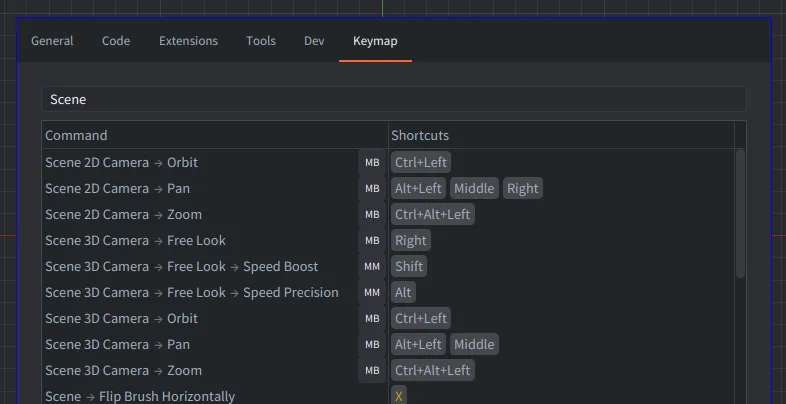
Scene View mouse controls can now be configured in the Keymap preferences (File->Preferences->Keymap). Developers can customize mouse and modifier combinations for zooming, orbiting, panning, free-camera navigation, tile editing, and curve operations.
The code editor now includes a fuzzy jump-to-symbol dialog. Press Ctrl + Shift + O on Windows and Linux or Cmd + Shift + O on macOS to search symbols in the current script and jump directly to the selected result.
The grid settings popup also includes a color dropper, and several smaller editor fixes improve property controls, context menus, toolbars, dependency handling, and script error reporting.
Larger archives
The resource archive implementation now supports archive data and offsets beyond 4 GiB. This is particularly important for large Windows bundles that previously could fail to load resources when archive sizes crossed earlier limits.
Engine CMake build system
Defold’s internal engine build system has also been ported to CMake. This improves engine build workflows and makes it possible to generate development solutions for supported IDEs, including Visual Studio and Xcode configurations used when working on the engine itself.
These changes primarily affect engine contributors and developers with unusually large projects, but it removes important limitations and modernize the underlying build infrastructure.
Other improvements
GUI scripts can now remove named runtime texture mappings. This makes it possible to release dynamically created atlas resources when they are no longer required by a GUI scene.
Projects can optionally include dependency metadata in bundles by setting project.dependencies_metadata = 1. The metadata can help reproduce and debug builds by recording anonymized dependency URLs and available checksums or commit identifiers.
Important update and migration notes
Defold 1.13.1 updates the Apple SDK and Xcode toolchain used by the build servers to version 26.5. Projects that provide a custom Info.plist for iOS or macOS should compare it with the current built-in version and update their custom file before releasing a new build.
Projects should also test:
- fullscreen and resolution behavior on desktop, due to the switch to borderless fullscreen;
- controller mappings and dead zones if they use custom
.gamepadsfiles; - custom lighting shaders, ensuring their
LightBufferlayout matches the built-in definition; - lights on older graphics contexts, as Light components are not supported on WebGL 1 or OpenGL ES 2;
- large or timer-heavy projects affected by the included runtime fixes.
As always, update using version control and test all target platforms before shipping.
Summary
Defold 1.13.1 is available now. It introduces a flexible lighting foundation for 2D and 3D games, expands the editor into a more capable platform for custom tools and automation, improves controller support, and makes large projects faster to build and easier to integrate with external development workflows.
If you like the changes, consider helping us develop Defold further and bring even more exciting features and improvements - you can do so by spreading the word, helping test and catch issues, contributing, helping the community or donating.
We are excited to see what the community creates with Light components, richer editor extensions, and the growing editor HTTP API. Download Defold 1.13.1, explore the new examples and manuals, and let us know what you build!