

Defold release 1.14.0
By The Defold Foundation on Oct 12, 2026
Tagged as: News, Release, 3d, Editor, Shaders, Performance, Mobile, Console
Defold 1.14.0 is now available! Released today, October 12, this version brings new tools for custom rendering and several improvements to everyday work in the editor. Cubemap render targets open up new possibilities for reflections and environment capture, the Material Editor gets a clearer layout, and macOS games now use Metal by default.
This release also prepares Defold for iPhone Duo and adds Microsoft Xbox support, expanding the platforms you can reach with your games. We will cover Xbox support in a separate announcement.
Highlights in Defold 1.14.0
- Microsoft Xbox support for approved developers with access to Defold’s Xbox resources
- Ready for iPhone Duo, with improvements to iOS lifecycle handling and mobile GUI layouts
- Cubemap render targets - handy for custom reflections and other rendering effects
- A redesigned Material Editor with clearer sections and focused editing forms
- Generational game object handles and support for up to 1,048,576 game objects per collection
- Reduced editor CPU usage when working with multiple tabs, resizing, and editing properties
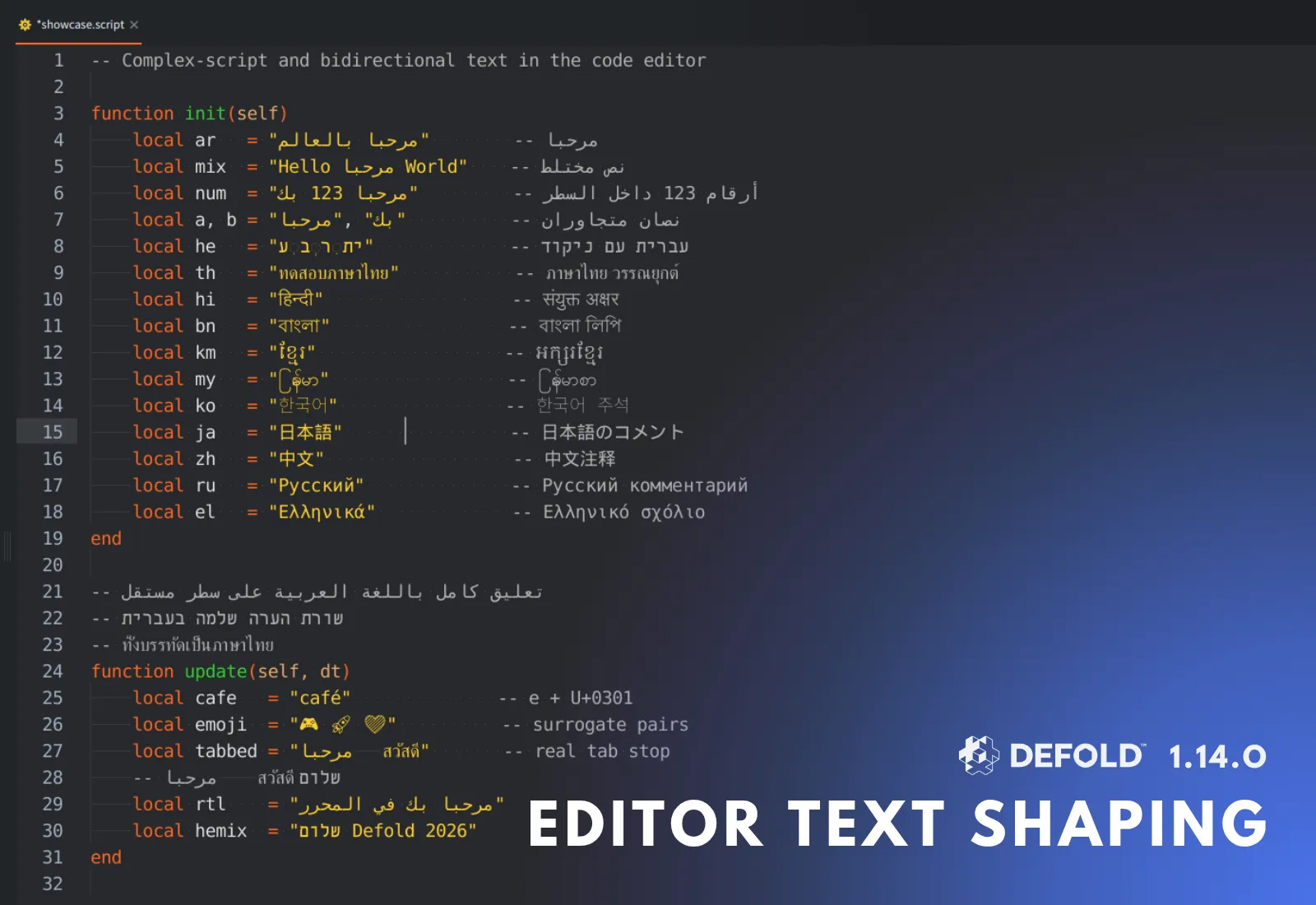
- Better editor text shaping for complex scripts, emojis, and bidirectional text
- Metal by default on macOS
- Shader storage buffers in dmSDK for native graphics and compute extensions
- Configurable tab navigation and reordering shortcuts, plus wildcard patterns in
.defignoreand.defunload
Xbox support
Starting with Defold 1.14.0, approved Xbox developers with access to Defold’s Xbox support can build their games for Microsoft Xbox consoles. This is another step in making Defold available across desktop, mobile, web, and console platforms, giving developers more opportunities to bring their games to players.
To get started, your organization must first be approved by Microsoft for Xbox console development. Then sign in to the Xbox middleware page with an account associated with your organization, find Defold, and request access. Once we have verified your developer status, we will provide access to the Xbox-specific Defold resources and instructions for the required development tools. The standard public Defold download does not include an Xbox build target. See the Microsoft Xbox manual for the access process.
We will share the details of Xbox support and how to get started in a dedicated blog post.
Ready for iPhone Duo
Preparing Defold for iPhone Duo has been an important part of this release. Defold 1.14.0 brings improvements to iOS app lifecycle handling, links, and GUI safe-area and rotation updates.
For developers bringing their games to iPhone Duo, this release should be the starting point for building and testing their projects on the new device.

Cubemap render targets
Defold can now render directly into a cubemap. You can create a cubemap render target in a render script or configure it as a .render_target resource in the editor, then select which of its six faces to draw into.
This gives custom render pipelines a way to capture a scene in every direction from a chosen point. You can use those views to build real-time reflections, environment capture, point-light shadows, and other effects that need more than a single camera view. These effects are implemented in your rendering pipeline using the new targets.
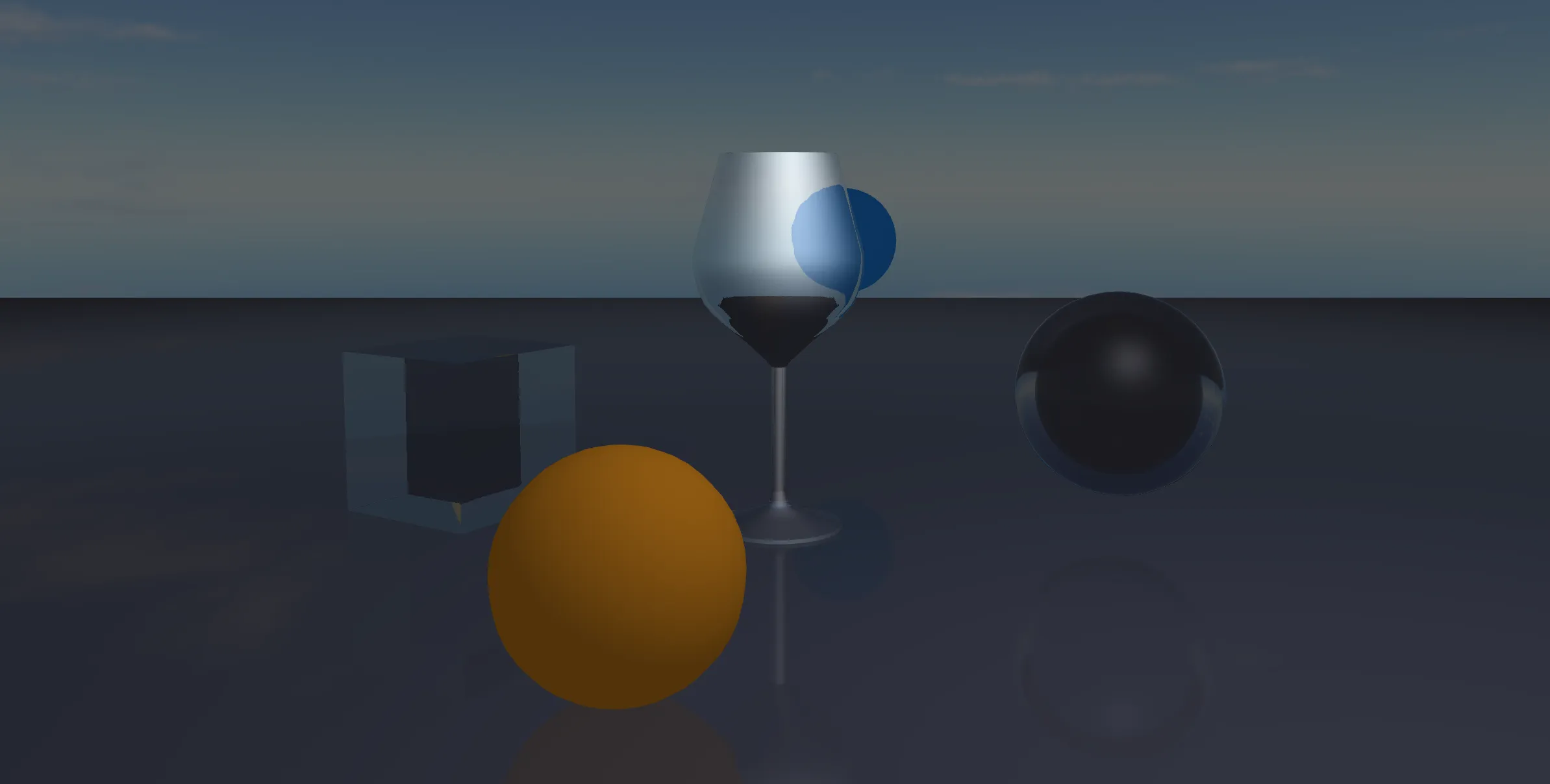
Glass reflections in Defold Glass by Paweł Jarosz.
The color attachment can be sampled in a shader with samplerCube. Cubemap attachments must be square and equally sized, and this initial implementation does not support cubemap multisampling. The cubemap implementation notes and demo show how to create a target, render its faces, and bind the result to a shader.
A clearer Material Editor
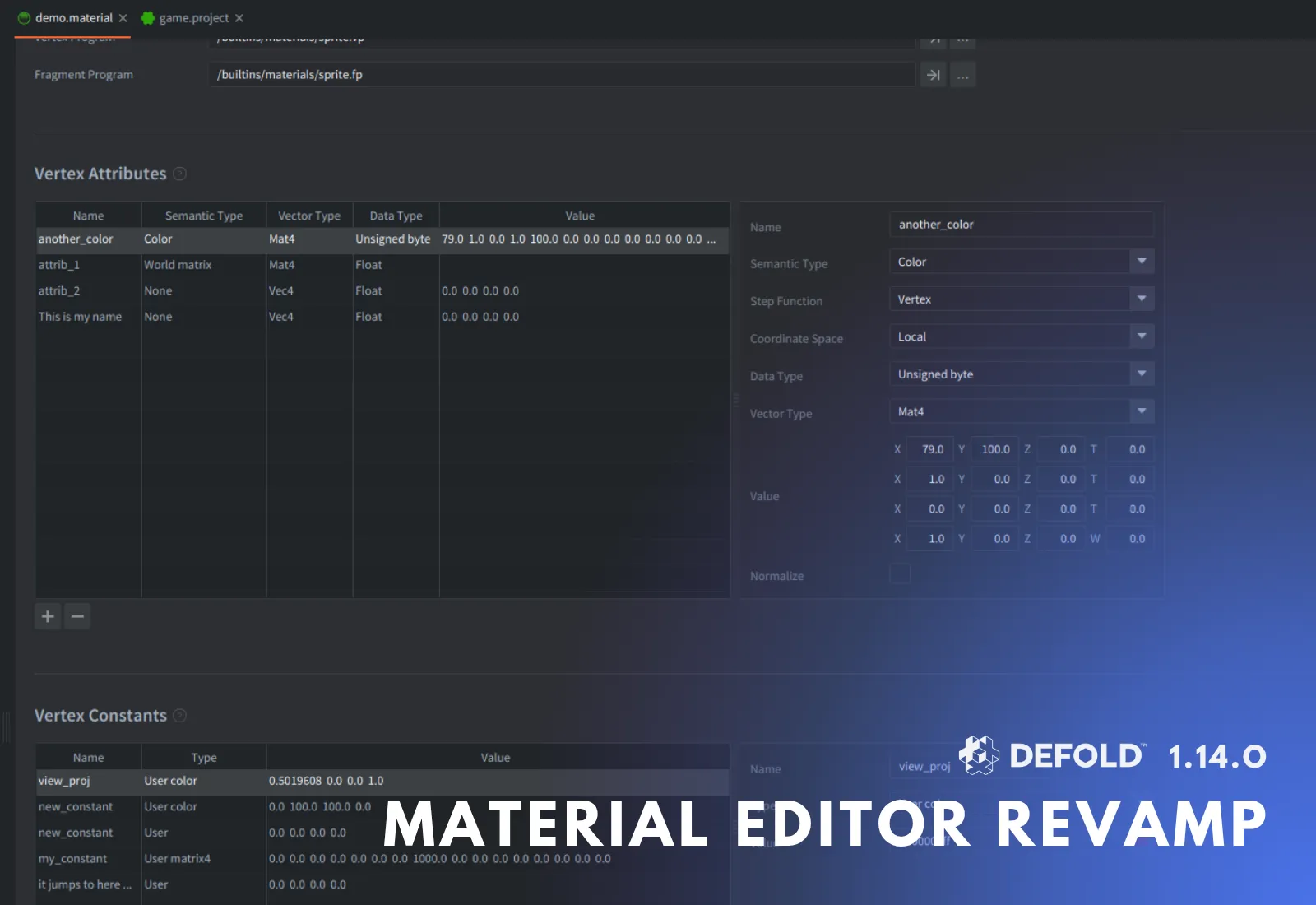
The Material Editor redesign makes material settings easier to navigate. Section headers separate the different parts of a material. Entries appear in a table, with a dedicated form for editing the current selection. Choice boxes throughout the editor have also been made narrower.
Less background work in the editor
This release reduces unnecessary editor CPU work when resizing the window, focusing property fields, and leaving a GUI scene idle with several tabs open.
In our measurements, the changes reduced JavaFX CPU work during resizing by about 34% and total process CPU usage during the tested GUI idle workload by about 25%. We measured specific workloads, so results will vary depending on your project and machine.
Editor improvements
You can now configure shortcuts for switching and reordering tabs, making it easier to move between scripts, collections, and their resources. Wildcard patterns in .defignore and .defunload also simplify working with repeated folder structures.
We also improved text shaping in the editor for complex scripts, emojis, and bidirectional text.
Other improvements
Metal is now the default graphics backend on macOS, with OpenGL and Vulkan still selectable through the App Manifest. You can now use shader storage buffers through dmGraphics for supplying structured data to graphics and compute shaders on supported backends and devices in native extensions. Mobile fixes improve GUI safe-area positioning and rotation updates. Android R8 builds can shrink unused resources alongside Java code.
Breaking changes and migration
This release also includes a few breaking changes. Some affect native extension code, while others affect project settings, editor plugins, or platform support. Review these changes before upgrading an existing project. Use version control to secure your project, then build and test on your target platforms after updating.
Generational game object handles make retained native handles safer: deleted objects and collections are rejected even when their storage is reused. Collections can now contain up to 1,048,576 game objects, subject to project capacity settings and available resources. This changes the native ABI: rebuild precompiled dmSDK libraries and replace pointer-based assumptions about opaque handles with handle-sized storage. This migration applies only to native C++ code and libraries. Regular Lua game object code does not need to change for the new handles.
The other breaking changes are:
- Shared Lua state is now mandatory. It has already been enabled by default, so projects using that default don’t need to take any action. Only projects that disabled it need to refactor code relying on separate globals or loaded-module caches for game object, GUI, and render scripts.
- 32-bit Windows support has been removed. Previously, both 32-bit and 64-bit Windows targets were supported. Projects already targeting
x86_64-win32can keep that target, but build scripts usingx86-win32must switch tox86_64-win32. - Accelerometer input is now disabled by default. Previously, it was enabled by default. If your game uses acceleration events, explicitly enable it in
game.project. Games that do not use accelerometer input require no changes here. - The editor plugin resource-type API has changed. Update plugins that register resource types to use the new reader and loader signatures. This only affects editor plugins using that API. See the example in the extension-simpledata migration PR.
- The native render-target binding API has changed. Native graphics code using the old
SetRenderTarget()overload with a transient-buffer bitmask must switch to the cubemap-aware binding parameters. This C++ API migration does not require changes to existing Lua render scripts using ordinary render targets. - Projects using iOS links need an updated IAC extension. If your project uses custom-scheme URLs or universal links, update IAC and test both links opened in the running app and links that launch it.
Get Defold 1.14.0
Download Defold 1.14.0 and try it with your project. Thank you to everyone who contributed code, tested the beta, and reported issues!
See the full Release Notes for the complete list of new features, improvements and fixes.
Support Defold
Defold is provided completely free of charge. If it helps you build your games, consider supporting the Defold Foundation to help fund continued development. You can also support Defold by spreading the word, contributing code (thanks to criccomini for contributing to this release!), testing releases, or helping other developers in the community, especially now that it’s Hacktoberfest! Thank you for helping us move forward!