

Defold release 1.13.0
By The Defold Foundation on Jun 22, 2026
Tagged as: News, Release, 3d, Physics, Mobile, Editor, Shaders
Defold 1.13.0 is a substantial release that develops several areas of the engine at once: model support, physics, rendering, editor tooling, and build workflows. This version introduces new functionality relevant to both 2D and 3D projects.
This release also includes many important cleanup changes. Older, long-deprecated APIs and formats have been removed, including Collada, asm.js, and the old Live Update format. Before updating existing projects, we recommend reviewing the full release notes and checking any parts of your project that may depend on older engine behavior.
Key changes in Defold 1.13.0
In short, Defold 1.13.0 introduces, among other things:
- support for Morph Targets (also known as Blend Shapes), for model components;
- an expanded Box2D scripting APIs, including support for joints;
- frustum culling for Particle FX components;
- Vulkan is now the default graphics API on Android, with OpenGL as a fallback;
- new
materialandcomputescript modules; - new functions for inspecting the active graphics adapter, limits, extensions, and supported GPU features through the
graphicsAPI; - new blending control options in render scripts;
- new shader constants, including inverse matrices;
- improvements to orthographic cameras using Auto Fit and Auto Cover modes - adaptive zoom;
- a selected camera preview directly in Scene View;
- a local, authenticated
/evalendpoint for the editor, enabling many new test automation scenarios; - direct opening of PNG and JPG images in the editor;
- smaller final engine builds for macOS and Android;
- faster resource syncing, dependency fetching, font generation, and improved editor responsiveness during builds;
- important cleanup of older APIs, formats, and engine behavior.
This is a broad release. It includes features that are immediately visible while working on a project, as well as deeper infrastructure changes that will matter for the future development of the engine.
Morph targets for 3D models
One of the most important additions in Defold 1.13.0 is support for morph targets in model components. The engine can now use morph/blend target data stored in glTF files.
Morph targets allow a model to be smoothly deformed by blending between different shapes of the same mesh. In practice, this means that a model can keep the same structure while changing expression, proportions, or visual state without switching to a different mesh. This is especially important for facial animation, character expressions, mouth shapes in dialogue animation, transformations, damage reactions, mutation effects, stylized deformations, and any case where skeletal animation alone does not provide enough control over the surface of the model.
Control Morph Targets (Blend Shapes) of your 3D glTF models in Defold 1.13.0
For developers building 3D games in Defold, this means more expressive characters and a more flexible asset pipeline. Models prepared in 3D modeling tools can now bring not only skeletal animation data into the engine, but also mesh deformation data. Developers can then control morph target weights through materials and shaders, creating smooth transitions between different model states.
Animation and manual control of weights in Defold with the Aria Blake model
Morph targets are also useful beyond facial animation. They can be used for gameplay-driven changes in an object’s state: for example, an enemy can swell before attacking, a character can gradually transform into another form, an object can squash after impact, or an environmental element can change shape in response to interaction. These effects do not require separate models or a complex bone setup if they are better represented through simple shape blending.
Morph targets animation in Defold with Shewolf model by Polygon Artisan
Try the Morph Target Animation example to see glTF morph target animation playback, or the Morph Target Weights example to see how model.set_blend_weights() can drive blend weights from Lua.
In the same release, Defold removes support for the old, deprecated Collada format (.dae) and focuses the 3D pipeline on glTF/GLB. This clarifies the direction of model support in the engine and strengthens support for a modern format widely used in real-time graphics.
Expanded Box2D API
Defold 1.13.0 significantly expands the scripting API for the Box2D physics engine, both for V2, the legacy Defold version, and V3. The most important change is broad support for joints, but the release also includes new Box2D functionality in general.
You can now tune many parameters and properties from script - check the example
From Lua, developers can now create and control different types of physical connections. Depending on the backend used, V2 or V3, this includes distance, revolute, prismatic, weld, wheel, mouse, rope, pulley, gear, motor, and filter joints. The API also allows scripts to read connected bodies, local and world anchor points, reaction forces, torque, limits, speeds, angles, lengths, spring parameters, and motor settings.
Create bridges using revolute joints - check the example
Bridges, hinges, ropes, mechanisms, vehicles, moving platforms, cursor-based object grabbing, springs, pendulums, levers, physics puzzles, and dynamically generated structures can now be built directly in game scripts. The logic remains in Lua, without the need to create native extensions just to access core Box2D functionality.
Design complex terrain using chains - check the example
Access to fixtures and shapes has also been expanded. Scripts can read and change density, friction, restitution, sensors, filter data, and AABB. They can check shape types, test points, and manage shapes or fixtures attached to a body. In practice, this gives more control over object behavior at runtime: an object can change its physical properties after collecting a power-up, an enemy can become a sensor in a specific state, and a dynamic level element can modify its collision filter without rebuilding the entire scene.
Control damping and frequency using mouse joints - check the example
This is a major step for games that use physics as part of gameplay, not only as a simple collision system. Box2D becomes more accessible from scripts, and physics systems can be designed more directly in game logic. The Physics joints manual and Box2D API reference are the best starting points.
Rendering and the graphics environment
On Android, Defold now uses Vulkan as the default graphics API, with OpenGL as a fallback. The backend can still be controlled through the application manifest. For new mobile projects, this means moving to a more current default rendering path, without removing compatibility with devices or projects that require OpenGL.
The graphics module now includes functions for checking available graphics adapters and retrieving information about the currently used backend. Scripts can read the API family, version, hardware limits, supported features, and extensions. This is useful in cross-platform projects where a game may run on desktop, Android, web, or other environments with different GPU capabilities.
You can now check whether the runtime supports features such as compute shaders, storage buffers, texture arrays, multiple render targets, instancing, or 3D textures. This information can be shown in a debug UI, written to diagnostic logs, or used by the graphics settings system. It can also be used to choose the appropriate rendering path, making it easier to adapt settings to the current environment.
material and compute modules
New material and compute script modules have been added to the engine. They allow Lua code to read and modify selected data from material and compute resources.
For materials, scripts can work with constants, samplers, textures, and vertex attributes. For compute resources, access is available for constants, samplers, and textures. This gives developers more control over resources used by rendering and visual effects.
This change is important for projects with custom render scripts, debug tools, material editors, procedural effects, and systems that adjust shader parameters at runtime. Materials and compute resources no longer have to be treated only as static configuration prepared before the game starts. They can be inspected and updated by game code or tools.
Particle FX, blending, and shaders
Particle FX components can now use frustum culling. Emitters outside the camera view can be skipped during rendering if the project uses render.draw() or an active camera set through render.set_camera(). This is especially useful in scenes with many particle effects.
Render scripts also gain more precise control over blending. New functions allow blend factors and blend equations to be set separately for color and alpha. This is useful for 2D shadows, masks, lighting effects, specialized compositing, post-processing, and custom transparency handling.
New shader constants have also been added, including inverse versions of the most important matrices used in rendering. Shaders can now receive inverse world, view, projection, view-projection, and world-view-projection matrices without manually preparing this data in additional code. This helps with screen-space effects, position reconstruction, decals, ray direction calculations, and more complex materials.
Editor changes
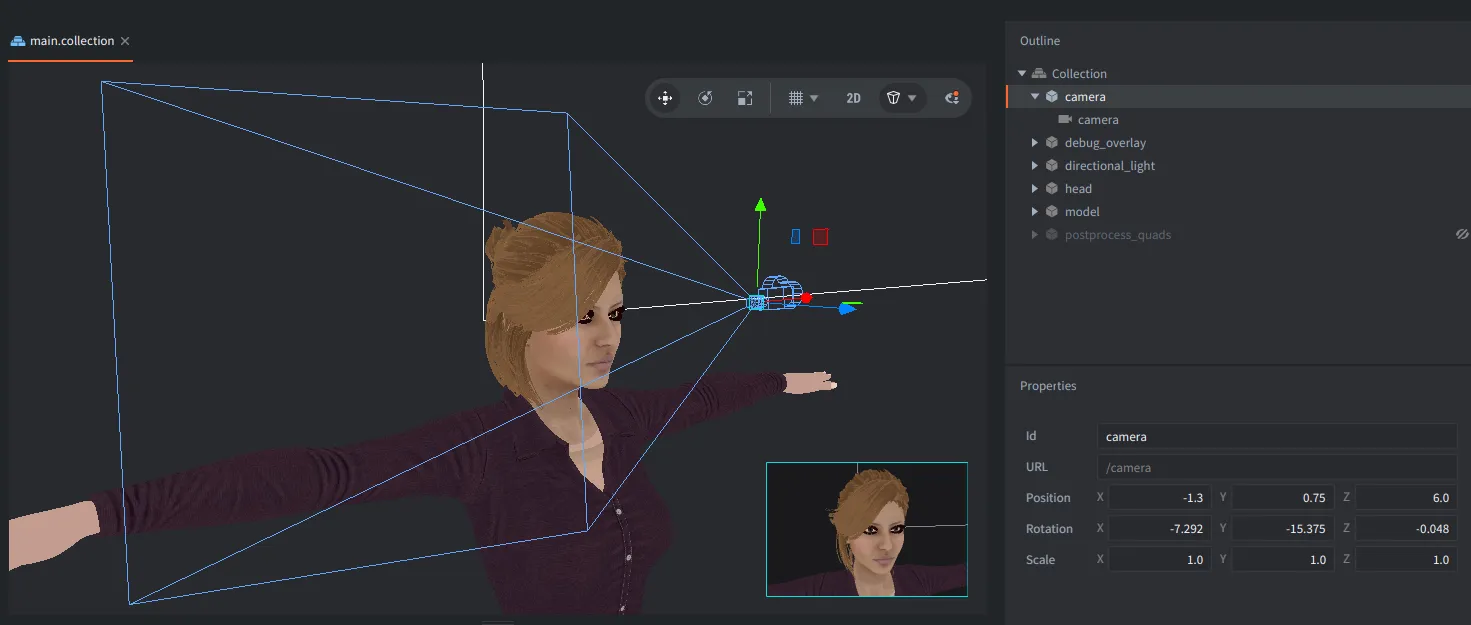
Defold Editor receives several improvements to everyday workflow. Scene View can now display an overlay showing the view from the selected camera, making it easier to set up levels, framing, and scene composition without building the game just to see the camera view.
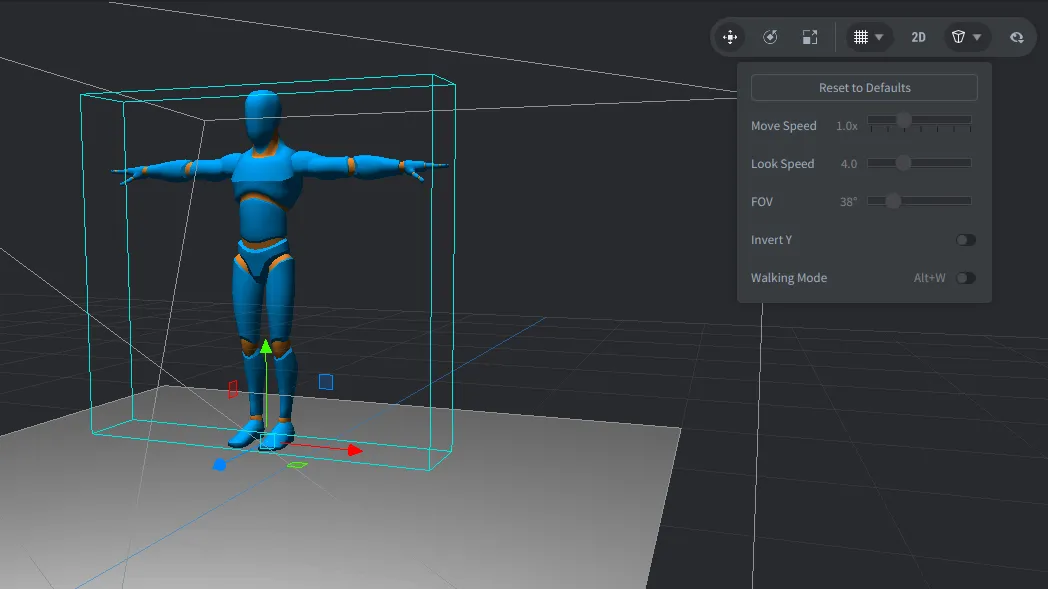
Tool popups related to the grid, camera, and scene visibility have also been improved. This includes better controls, value fields, shortcut handling, color selection, focus traversal, and localization.
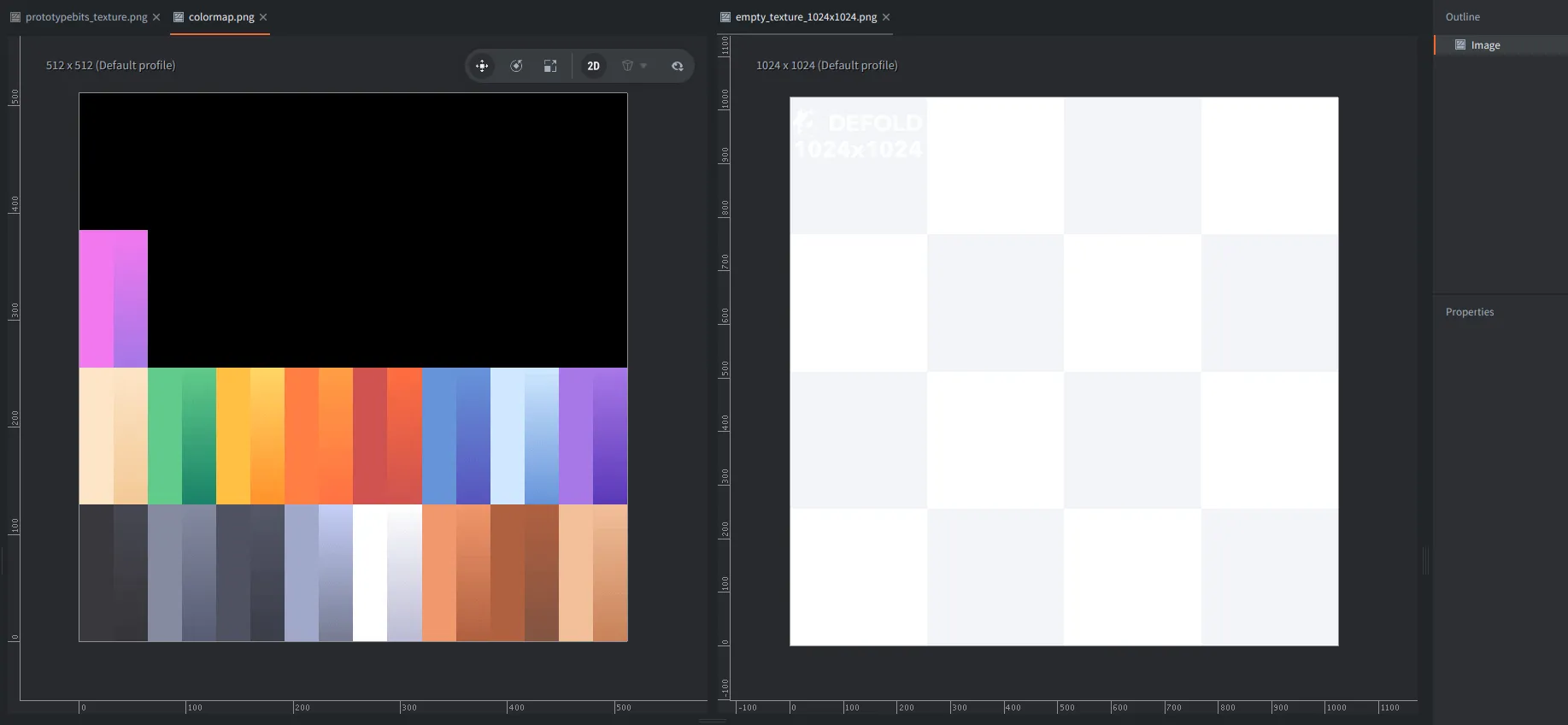
The editor can also open engine-supported images, such as PNG, JPG, and JPEG files, directly inside Defold.
A local, authenticated /eval endpoint has been added to the editor server. It allows Lua code to be executed in the editor runtime. This feature is intended for local development tools, automation, editor scripts, and external integrations. It can be used to inspect resources, execute editor operations, prepare reports, and support more automated workflows.
Smaller builds and faster workflows
In Defold 1.13.0, final engine builds for Android and macOS have been reduced in size thanks to additional flags that remove unused code. The release notes report a reduction of about 354 KB on Android and about 576 KB on macOS.
Several areas of working with larger projects have also been improved. Resource syncing when opening a project now uses parallel directory traversal. Dependency fetching has been unified between the editor and Bob. Font map generation has been moved to a later build phase, and the editor UI remains more responsive during builds.
These changes are not visually spectacular, but they affect the daily development cycle: opening a project, fetching dependencies, building, and iterating.
Breaking changes
Defold 1.13.0 removes several older parts of the engine. Projects updated from earlier versions should be checked before migration.
Support for js-web / asm.js has been removed, as Defold’s web backend now focuses on wasm-web. Collada support has also been removed, so .dae models should be migrated to glTF or GLB. Old, deprecated Lua functions and constants, the old LiveUpdate format, and LiveUpdate auto mount have also been removed. We prepared a special Python script to check for deprecated APIs in your project available here.
Component winding order has been unified to counter-clockwise. Projects using custom culling should check their render scripts and materials. The import behavior for glTF/GLB models has also changed by removing automatic re-centering, so transforms are closer to what was prepared in the source tool.
These changes may require work in older projects, but they simplify the future development of the engine and reduce the number of exceptions Defold had to maintain. Please be especially careful when updating. Before updating an existing project, we recommend reading the full release notes, checking the breaking changes, and migrating on a project copy or in version control.
Summary
Defold 1.13.0 is available now. It cleans up and develops the engine in several concrete aspects. We believe these changes and the direction Defold is taking are good for the engine in the long term, and we hope you’ll make good use of the new feature to create great games!