

Manuals
Manuals
- Overview
- Scene Editing
- Code editor
- Custom project templates
- Editor scripts
- Editor scripts: UI
- Debugger
- Preferences
- Refactoring
- Styling
- Importing assets
- Caching assets
- Importing 2D graphics
- Importing 3D models
- Adapting to different screen sizes
- Live update
- Atlas
- Buffer
- Font
- Resource management
- Tile source
- Texture filtering
- Texture compression
- Overview
- Flipbook Animation
- Model animation
- Property animation (tweens)
- Rive animation
- Spine animation
- Overview
- Collection factory
- Collection proxy
- Collision object
- Camera
- Factory
- Label
- Mesh
- Model
- Particle FX
- Rive
- Sound
- Spine
- Sprite
- Tilemap
- GUI overview
- Box nodes
- Text nodes
- Pie nodes
- Spine nodes
- ParticleFX nodes
- Template nodes
- Scripts
- Clipping
- Layouts
- Physics overview
- Collision objects
- Collision shapes
- Collision groups
- Collision messages
- Collision events listener
- Resolving collisions
- Ray casts
- Joints and constraints
- Scripts
- Properties
- Script properties
- Lua in Defold
- Source code obfuscation
- Modules
- Debugging
- Writing code
- Application security
- Bundling an application
- Caching assets
- Command line tools
- Hot reloading
- Porting guidelines
- Refactoring
- The mobile dev app
- Version control
- Writing code
- Working offline
- Debugging game logic
- Debugging native code
- Debugging native code on Android
- Debugging native code on iOS
- Reading game and system logs
- Optimizing an application
- Optimize game size
- Optimize runtime performance
- Optimize battery usage
- Optimize memory usage
- Profiling
- Introduction
- Advertising Info
- AdMob ads
- Android Device Performance Framework
- App review and ratings
- Camera
- Firebase Analytics
- Firebase Remote Config
- Google Play Game Services
- Google Play Instant
- Inter-app communication
- IronSource ad mediation
- Push notifications
- Play Asset Delivery
- Safe Area
- Webview
- The mobile dev app
- Introduction
- Advertising Info
- AdMob ads
- App review and ratings
- Camera
- Firebase Analytics
- Firebase Remote Config
- Inter-app communication
- IronSource ad mediation
- Push notifications
- Safe Area
- Webview
- The mobile dev app
Browse manuals Photon Fusion - SDK & Installation
Getting Started
Project Setup
Editor
Core Concepts
Assets and Resources
Animations
Components
GUI
Physics
Sound
Game logic
Files
Network Connections
Workflow
Debugging
Optimization
Monetization
Android
- Introduction
- Advertising Info
- AdMob ads
- Android Device Performance Framework
- App review and ratings
- Camera
- Firebase Analytics
- Firebase Remote Config
- Google Play Game Services
- Google Play Instant
- Inter-app communication
- IronSource ad mediation
- Push notifications
- Play Asset Delivery
- Safe Area
- Webview
- The mobile dev app
iOS
SDK & Installation
Requirements
- Fusion 3 AppId (Photon Dashboard)
- Defold 1.12.0 or newer
License
You must read and agree to the Exit Games End User License Terms before using Photon Fusion in your own project.
Installation
To use the Photon Fusion SDK in your Defold project, add a version of the Photon Fusion extension to your game.project dependencies from the list of available Releases. Find the version you want, copy the URL to ZIP archive of the release and add it to the project dependencies.
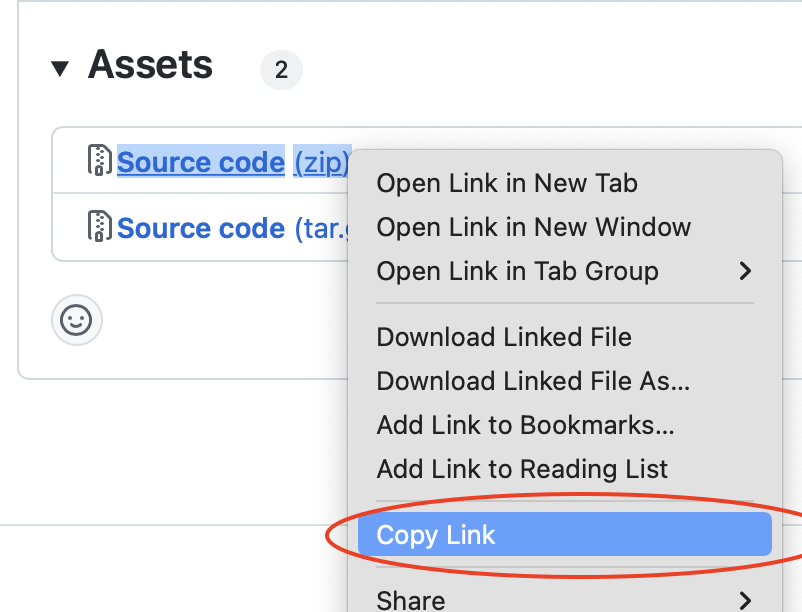
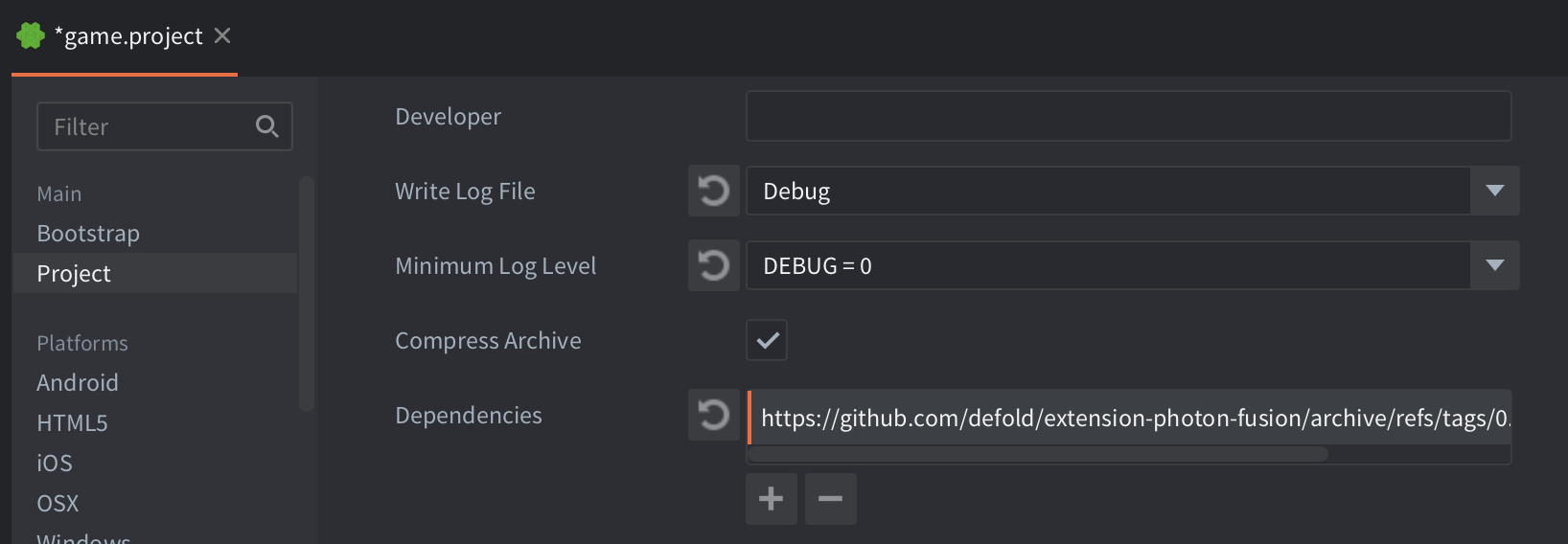
Select Project->Fetch Libraries once you have added the version to game.project to download the version and make it available in your project.
Source code
The source code is available on GitHub
Where to Go Next
- Back to the Introduction
- Quick Start Guide — Build a multiplayer demo in 10 steps
Did you spot an error or do you have a suggestion? Please let us know on GitHub!
GITHUB