

This translation is community contributed and may not be up to date. We only maintain the English version of the documentation. Read this manual in English
ラベル
ラベル(Label) コンポーネント(component)は、ゲーム空間内のテキストを画面に描画します。デフォルトでは、すべてのスプライト(sprite)およびタイルグラフィックスと一緒に並べ替えられ、描画されます。このコンポーネントには、テキストの描画方法を制御する一連のプロパティがあります。Defold の GUI はテキストをサポートしていますが、GUI 要素をゲームワールド(game world)に配置するのは難しい場合があります。ラベルを使うと、この配置が容易になります。
ラベルの作成
ラベルコンポーネントを作成するには、ゲームオブジェクト(game object)を 右クリック し、Add Component ▸ Label を選択します。
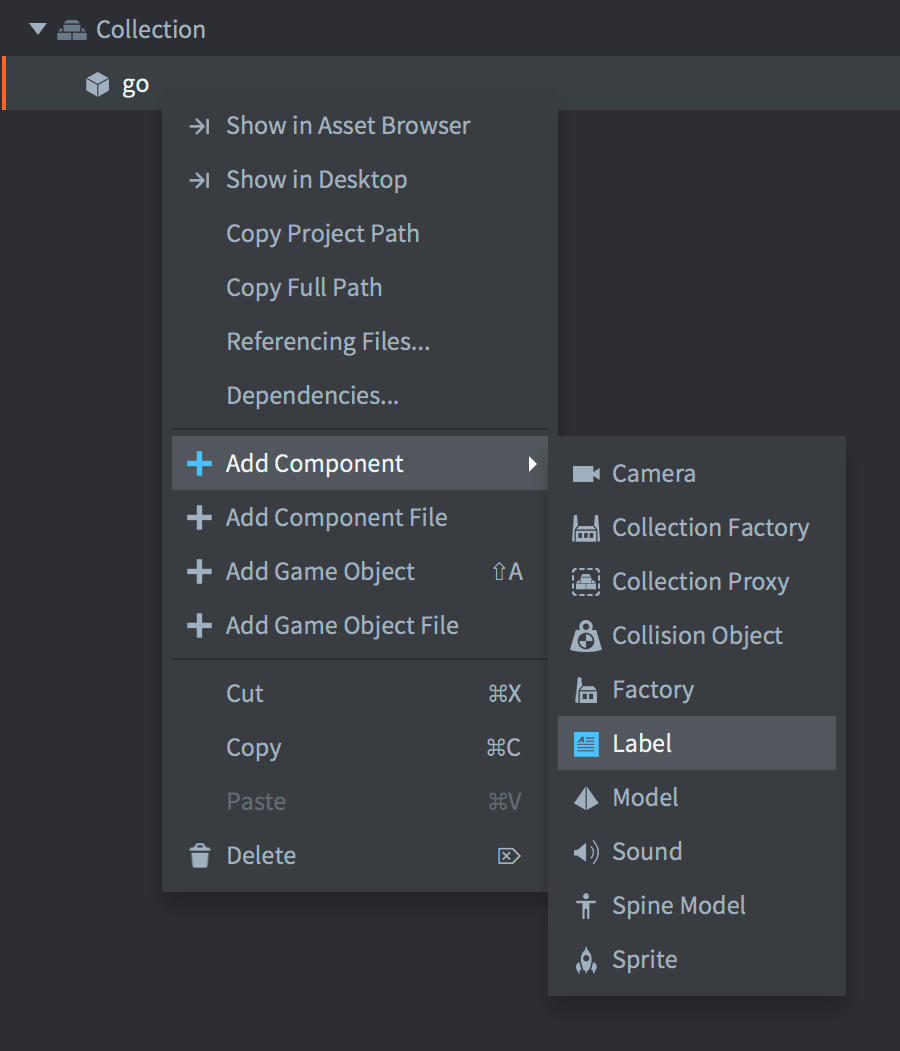
(同じテンプレートから複数のラベルのインスタンスを作成したい場合は、代わりに新しいラベルコンポーネントファイルを作成することもできます。Assets ブラウザーでフォルダーを 右クリック して New... ▸ Label を選択し、そのファイルを任意のゲームオブジェクトにコンポーネントとして追加します)
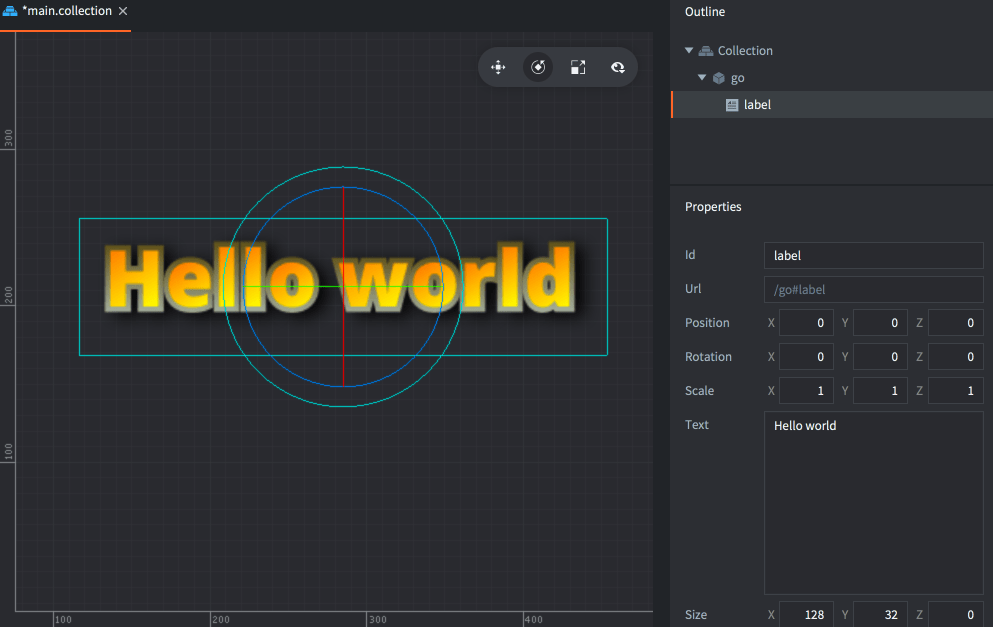
Font プロパティに使用するフォントを設定し、Material プロパティには、必ずフォントの種類に合ったマテリアル(material)を設定します。

ラベルのプロパティ
Id、Position、Rotation、Scale プロパティに加えて、次のコンポーネント固有のプロパティがあります。
- Text
- ラベルのテキスト内容です。
- Size
- テキストのバウンディングボックスのサイズです。Line Break が設定されている場合、幅によってテキストを折り返す位置が指定されます。
- Color
- テキストの色です。
- Outline
- 輪郭の色です。
- Shadow
- 影の色です。
デフォルトのマテリアルでは、パフォーマンス上の理由から影の描画が無効になっていることに注意してください。
- Leading
- 行間の倍率を指定する数値です。値が 0 の場合、行間はなくなります。デフォルトは 1 です。
- Tracking
- 字間の倍率を指定する数値です。デフォルトは 0 です。
- Pivot
- テキストのピボット(pivot)です。テキストの揃え方を変更するために使います(下記参照)。
- Blend Mode
- ラベルの描画時に使用するブレンドモード(blend mode)です。
- Line Break
- テキストの揃え方はピボットの設定に従います。このプロパティを設定すると、テキストを複数行にわたって表示できます。コンポーネントの幅によって、テキストを折り返す位置が決まります。折り返すにはテキスト内にスペースが必要であることに注意してください。
- Font
- このラベルに使用するフォントリソースです。
- Material
- このラベルの描画に使用するマテリアルです。使用するフォントの種類(ビットマップ、距離フィールド、BMFont)向けに作成されたマテリアルを必ず選択してください。
ブレンドモード
Blend Mode プロパティは、コンポーネント(component)のグラフィックスを、その背後のグラフィックスとどのようにブレンドするかを定義します。使用できるブレンドモード(blend mode)とその計算方法は次のとおりです:
- Alpha
- 通常のブレンド:
src.a * src.rgb + (1 - src.a) * dst.rgb - Add
- コンポーネントの対応するピクセルの色の値で、背景を明るくします:
src.rgb + dst.rgb - Multiply
- コンポーネントの対応するピクセルの値で、背景を暗くします:
src.rgb * dst.rgb - Screen
- Multiply とは逆の処理です。背景とコンポーネントの対応するピクセルの値を明るくします:
src.rgb - dst.rgb * dst.rgb
ピボットとテキストの揃え方
Pivot プロパティを設定すると、テキストの揃え方を変更できます。
- 中央揃え
- ピボットが
Center、North、Southに設定されている場合、テキストは中央揃えになります。 - 左揃え
- ピボットが
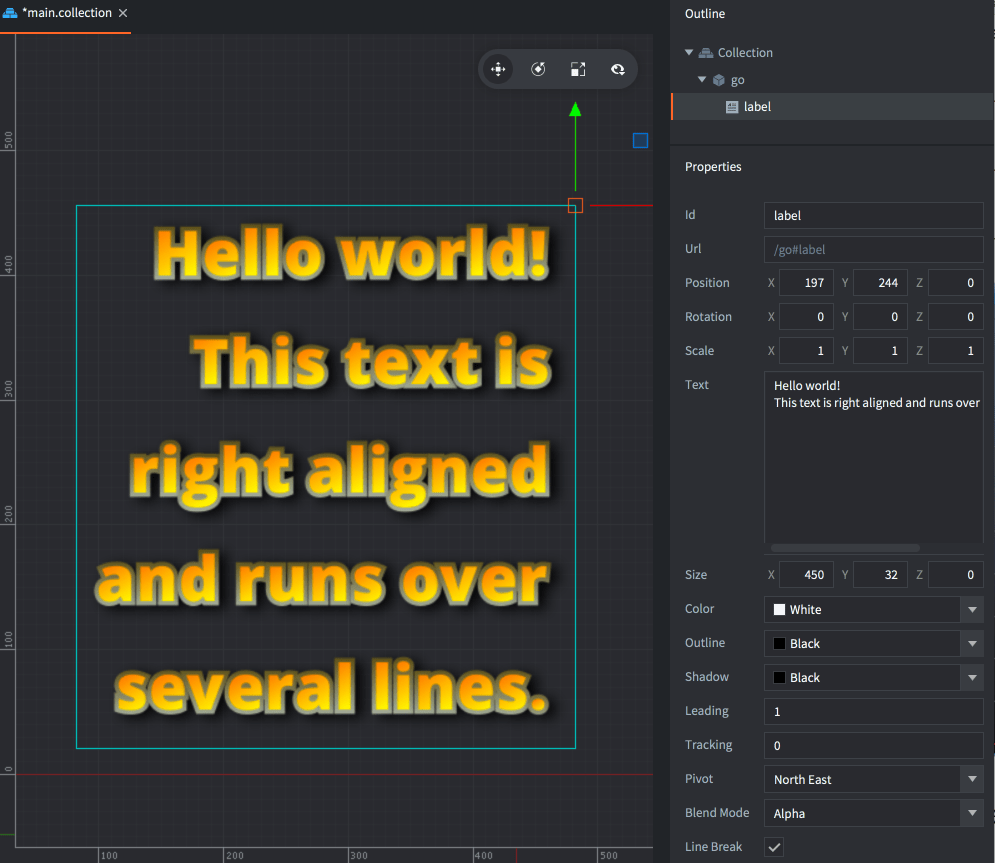
West系のいずれかのモードに設定されている場合、テキストは左揃えになります。 - 右揃え
- ピボットが
East系のいずれかのモードに設定されている場合、テキストは右揃えになります。
実行時の操作
ラベルのテキストや、その他のさまざまなプロパティを取得、設定して、実行時にラベルを操作できます。
text- ラベルのテキスト内容です(
string)。Defold 1.13.2 以降では、go.get()とgo.set()で利用できます。 color- ラベルの色です(
vector4)。 outline- ラベルの輪郭の色です(
vector4)。 shadow- ラベルの影の色です(
vector4)。 scale- ラベルのスケールです。均等に拡大縮小する場合は
number、各軸に沿って個別に拡大縮小する場合はvector3を使います。 size- ラベルのサイズです(
vector3)。
function init(self)
    -- Set the text of the "my_label" component in the same game object
    -- as this script.
    go.set("#my_label", "text", "New text")
    local text = go.get("#my_label", "text")
    print(text) -- New text
end
Defold 1.13.2 以降では、label.set_text() と label.get_text() は非推奨となり、代わりに text プロパティを使います。互換性のため、従来の関数も引き続き利用できます。従来の設定関数はメッセージをキューに入れますが、go.set() はテキストを即座に更新します。
function init(self)
    -- Set the color of the "my_label" component in the same game object
    -- as this script. Color is a RGBA value stored in a vector4.
    local grey = vmath.vector4(0.5, 0.5, 0.5, 1.0)
    go.set("#my_label", "color", grey)

    -- ...and remove the outline, by setting its alpha to 0...
    go.set("#my_label", "outline.w", 0)

    -- ...and scale it x2 along x axis.
    local scale_x = go.get("#my_label", "scale.x")
    go.set("#my_label", "scale.x", scale_x * 2)
end
プロジェクト設定
game.project ファイルには、ラベルに関するいくつかの プロジェクト設定 があります。