

Unlit
Description
An unlit material renders a surface without any lighting calculation. It does not react to lights, normals, shadows, or specular highlights. The final color comes directly from the material inputs, usually a texture and a tint.
This is useful for stylized 3D, retro-looking models, previews, debug objects, lamps, signs, and examples where the model should keep the same texture colors regardless of scene lighting.
What You’ll Learn
- How a Model component uses a custom material
- Which constants and samplers an unlit model material needs
- How a vertex shader transforms model vertices to the screen
- How a fragment shader samples a texture without lighting
Setup
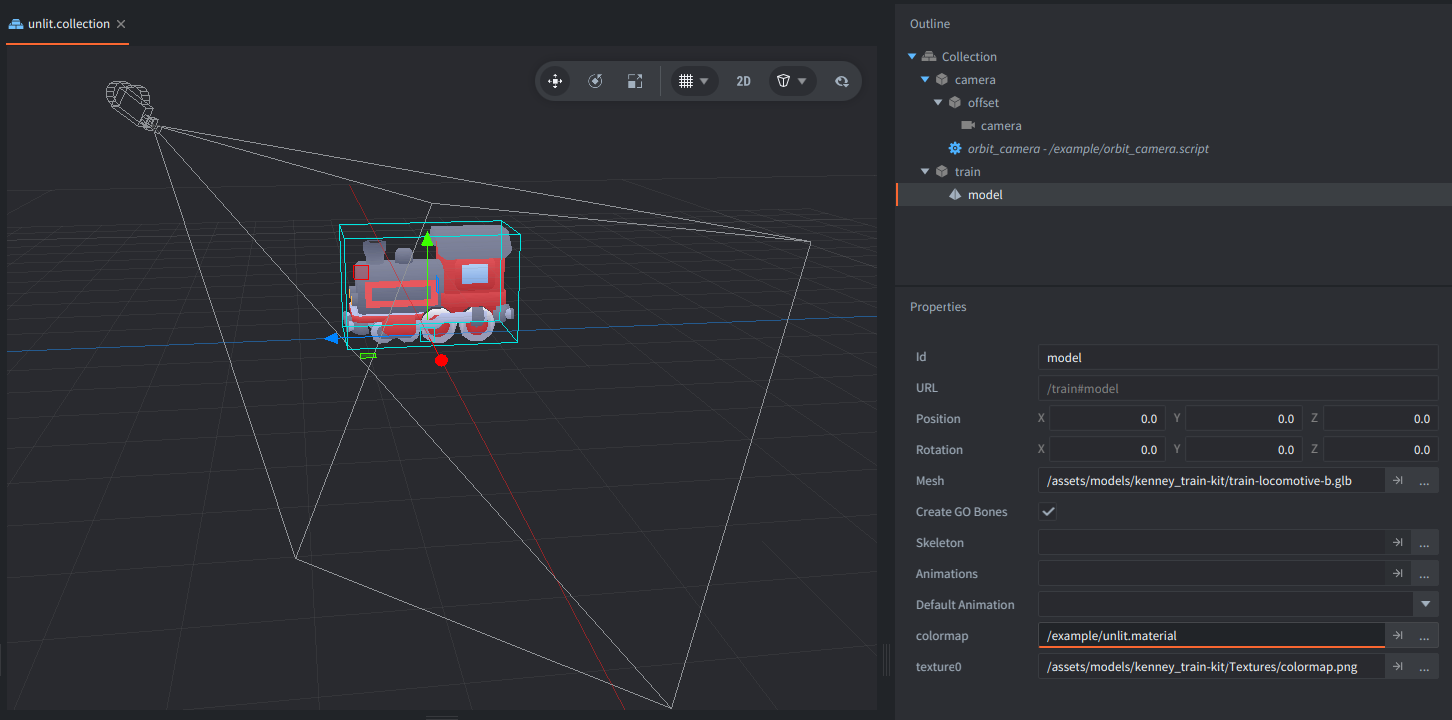
The collection contains two game objects: train and camera.
- train
- Contains a Model component using
/assets/models/kenney_train-kit/train-locomotive-b.glb. The model’scolormapmaterial slot uses/example/unlit.material, and itstexture0sampler uses the train kitcolormap.pngtexture. - camera
- Contains a perspective Camera component and
orbit_camera.script. Drag or touch to orbit the camera around the model, and use the mouse wheel to zoom.
Material
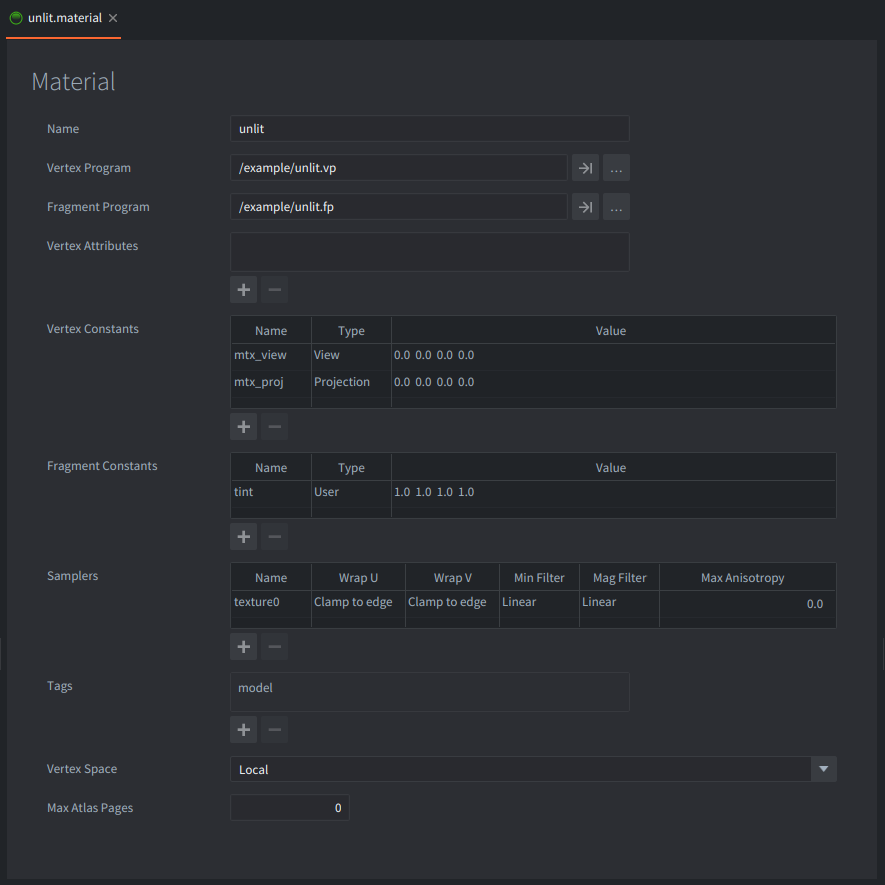
unlit.material connects the model to two shader programs:
unlit.vpfor vertex transformationunlit.fpfor fragment color output
The material uses Vertex Space: Local, so the vertex shader receives model vertices in local space. It also declares the mtx_view and mtx_proj vertex constants, which Defold fills from the active camera, and the texture0 sampler used by the fragment shader.
The material also declares a user fragment constant named tint. The fragment shader multiplies the sampled texture color by this tint, which keeps the material compatible with the standard model tint workflow.
How It Works
The vertex shader receives each vertex position, its texture coordinates, and the model’s world matrix. It passes the texture coordinates to the fragment shader, then transforms the local vertex position with:
mtx_proj * mtx_view * mtx_world * vec4(position.xyz, 1.0)
That moves the vertex from model space to world space, then through the camera view and projection matrices into clip space.
The fragment shader receives the interpolated texture coordinates, samples texture0, applies the premultiplied tint, and writes the result to final_color. There are no light directions, normal calculations, shadow maps, or specular terms. The texture color is the final surface color.
This is why unlit models look flat and evenly colored compared with Defold’s built-in lit model material. The surface still has perspective and texture detail, but its brightness does not change when the model rotates or when lights are added to the scene.
Credits
The model used in this example is from Kenney’s Train Pack, licensed under CC0.
Scripts
unlit.vp
#version 140

// The model's vertex position and texture coordinates.
in vec4 position;
in vec2 texcoord0;

// The model's world matrix.
in mat4 mtx_world;

// The projection and view matrices.
uniform general_vp
{
    mat4 mtx_view;
    mat4 mtx_proj;
};

// The output of a vertex shader are passed to the fragment shader.
// The texture coordinates of the vertex.
out vec2 var_texcoord0;

void main()
{
    // Pass the texture coordinates to the fragment shader.
    var_texcoord0 = texcoord0;

    // Transform the vertex position to clip space.
    gl_Position = mtx_proj * mtx_view * mtx_world * vec4(position.xyz, 1.0);
}
unlit.fp
#version 140

// Inputs should match the vertex shader's outputs.
in vec2 var_texcoord0;

// The texture to sample.
uniform lowp sampler2D texture0;

// The final color of the fragment.
out lowp vec4 final_color;

uniform fs_uniforms
{
    mediump vec4 tint;
};

void main()
{
    // Pre-multiply alpha since all runtime textures already are
    vec4 tint_pm = vec4(tint.xyz * tint.w, tint.w);

    // Sample the texture at the fragment's texture coordinates.
    vec4 color = texture(texture0, var_texcoord0.xy) * tint_pm;

    // Output the sampled color.
    final_color = color;
}