

Text on Curves
Description
This example demonstrates how to render Rich Text along a circular arc and a cubic Bézier curve using vector fonts. The arc radius and the Bézier handles are animated too.
Support for arc and curves for text was introduced in Defold 1.14.2.
Setup
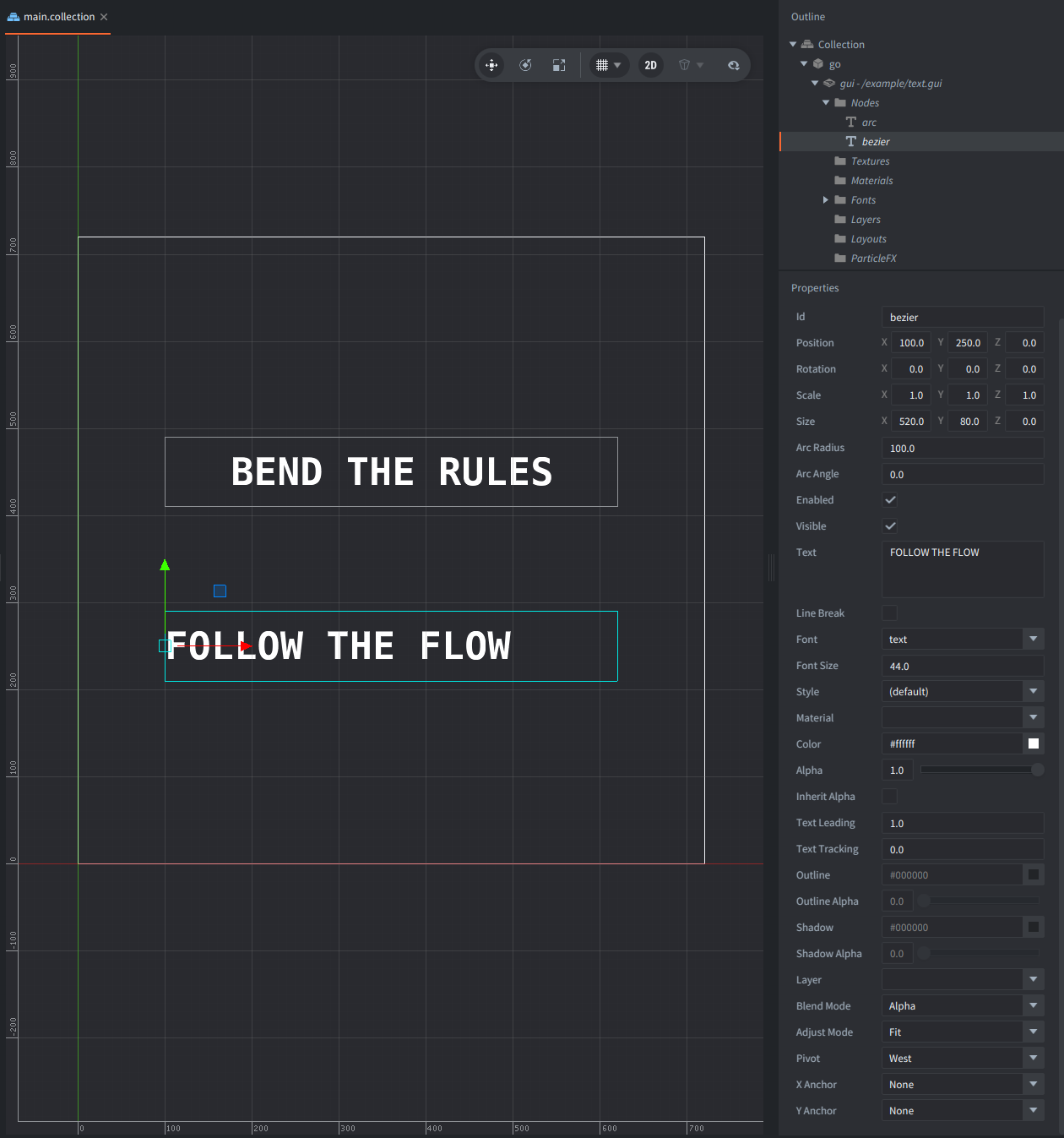
The collection contains one game object with a GUI component and two text nodes:
arcbezier
Both use the same dynamic vector font and the accompanying GUI script listed below.
Enable Use Rich Text in the App Manifest for Rich text markup feature. We use example.appmanifest in the example.
The example uses the built-in Vera Mono Bold font, so no additional assets are needed.
How It Works
In init(), the vector font glyphs are prewarmed with font.prewarm_text(). Once the font is ready, in the callback we set the Rich Text strings, including gradient, size and wave tags.
For the first node, using gui.set() we set the arc_radius and arc_angle properties. The node origin is the center of the circle. Using gui.animate() we can change the arc properties continuously.
For the second node, gui.set_curve() defines a cubic Bézier curve with two knots. Their positions are relative to the text node, and their handles are relative to each knot.
In update(), we are changing the handles and setting the curve again to animate the knots.
A custom curve takes precedence over the arc. Use gui.set_curve(node, nil) to remove it, or set arc_angle to zero to disable arc layout when no custom curve is active. Both layout types also work on Label components using go.set() and label.set_curve().
See the GUI API and Rich Text manual.
Scripts
text.gui_script
-- Texts with Rich text markup for the GUI nodes
local ARC_TEXT = "<gradient left=#FFD313 right=#FD6623>BEND THE RULES</gradient>"
local CURVE_TEXT = "<gradient left=#61DAFB right=#00E6E1>FOLLOW THE FLOW</gradient>"

-- Helper function to set the Bézier curve with two knots on the given node
local function set_bezier(node, height)
    -- The curve is local to the text node and handles are offsets from their knots
    local knots = {
        { position = { 0, 0, 0 }, out_handle = { 400, height, 0 }, up = { 0, 1, 0 } },
        { position = { 450, 0, 0 }, in_handle = { -180, -height, 0 } },
    }
    -- Set the new knots data to the GUI node:
    gui.set_curve(node, knots)
end

-- Helper function callback to set the initial arc and bezier settings after font is prewarmed
local function on_prewarmed(self, request_id, ok, err)
    -- If prewarming failed we skip the further part:
    if not ok then
        print("Font prewarm failed: " .. tostring(err))
        return
    end

    local arc = gui.get_node("arc")
    self.bezier = gui.get_node("bezier")

    -- Set a circular arc centered in the node's origin of given radius and angle
    gui.set(arc, "arc_radius", 135)
    gui.set(arc, "arc_angle", 240)

    -- Add the text with the Rich text markup to the arc text node
    gui.set_text(arc, ARC_TEXT)

    -- Arc properties can be animated like other GUI node properties
    gui.animate(arc, "arc_radius", 155, gui.EASING_INOUTSINE,
        2, 0, nil, gui.PLAYBACK_LOOP_PINGPONG)

    -- Use the helper function to set initial height for the bezier curve
    set_bezier(self.bezier, 170)

    -- Add the text with the Rich text markup to the curve text node
    gui.set_text(self.bezier, CURVE_TEXT)
end

function init(self)
    -- Helper variable to store the cumulative time
    self.time = 0

    -- Prepare the vector glyphs before displaying the text.
    local font_resource = gui.get_font_resource("text")
    font.prewarm_text(font_resource, "BEND THE RULES FOLLOW THE FLOW", on_prewarmed)
end

function update(self, dt)
    -- Increase the cumulative time variable by the delta time (dt)
    self.time = self.time + dt

    -- Use the helper function to set new height for the bezier curve each frame
    set_bezier(self.bezier, 170 * math.cos(self.time * 1.2))
end