

Vector Fonts, Rich Text and Emoji
Description
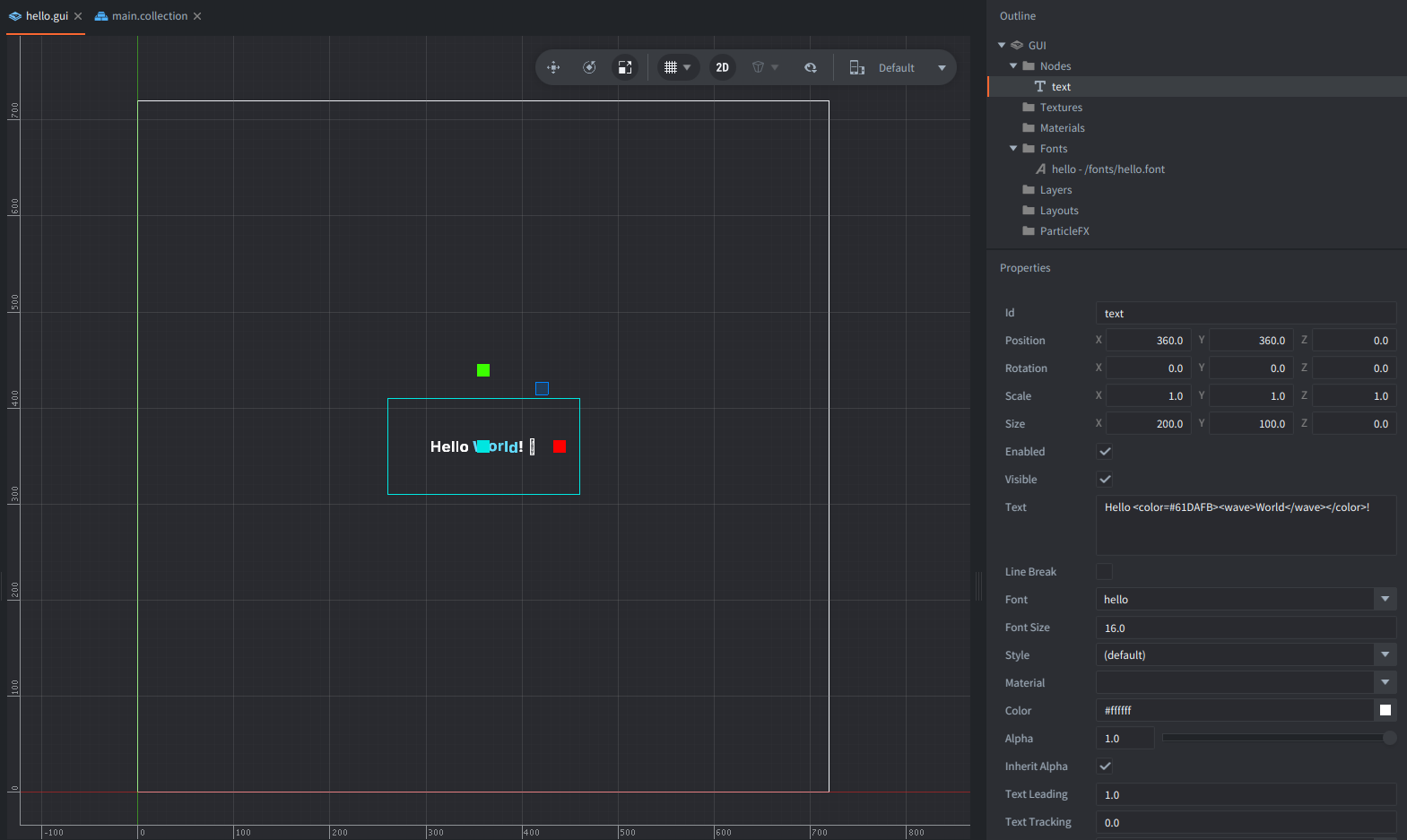
This example shows how to combine vector fonts, Rich Text effects and full-color emoji in a single Defold GUI text node.
The text displays a text and emojis with example Rich Text tags for changing size, color, or gradients. An emoji changes every second. The entire text gently zooms in and out using sine easing.
Setup
The scene contains just one game object, go, with a GUI component:
- The GUI contains one text node named
text, positioned in the center. - The GUI uses the accompanying GUI script
hello.gui_scriptto set and animate the text. - The GUI has a vector font registered with the name
hello. - The example includes
Twemoji-COLRv1.ttffor full-color emoji.
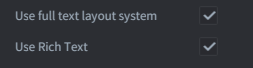
It’s also important to enable full text layout system and Rich Text in the custom App Manifest:
How it works
- In
init()get thehellofont resource - Add the COLRv1 emoji font with
font.add_font() - Prewarm the glyphs with
font.prewarm_text(). - When prewarming completes,
on_prewarmed()sets the Rich Text string on thetextnode and starts a looping zoom animation withgui.animate()andgui.EASING_INOUTSINE. - In
update()we change the emoji every second, cycling through rocket, smile, wink and thumbs up.
The Rich Text markup uses <color>, <wave>, <shake>, <size> and <gradient> to style and animate portions of the text without creating extra nodes.
Read more about Rich Text tags in the Rich Text markup manual.
Credits
Inter font files: SIL Open Font License 1.1.
Emoji glyphs: derived from Twemoji Mozilla, CC BY 4.0
Source links in licenses/.
Scripts
hello.gui_script
-- Demonstrates how to use vector fonts, Rich Text effects and color emoji.

-- Emojis displayed in sequence, changing every second.
local EMOJI = { "🚀", "😀", "😉", "👍" }

-- Path to the COLRv1 font containing full-color emoji glyphs.
local EMOJI_FONT_PATH = "/fonts/Twemoji-COLRv1.ttf"

-- Rich Text tags control color, size and animated effects.
-- The emoji is appended dynamically to the first line.
local function text_for(emoji)
    return "Hello <color=#61DAFB><wave>World</wave></color>! " .. emoji
    .. "\n\n <size=0.5em><shake>RichText</shake>, <gradient left=#FFD313 right=#FD6623>Vector Fonts</gradient> and <gradient left=#1E64EA right=#00E6E1>Emoji</gradient> 😉</size>"
end

-- Called when the font glyphs have finished prewarming.
local function on_prewarmed(self, request_id, ok, err)
    if not ok then
        print("Emoji/font prewarm failed: " .. tostring(err))
        return
    end

    -- Get the GUI text node and assign the vector font.
    self.text = gui.get_node("text")
    gui.set_font(self.text, "hello")
    gui.set_pivot(self.text, gui.PIVOT_CENTER)
    gui.set_line_break(self.text, false)
    gui.set_color(self.text, vmath.vector4(1, 1, 1, 1))

    -- Update the text with Rich Text formatting and the current emoji.
    gui.set_text(self.text, text_for(EMOJI[self.emoji_index]))

    -- Animate the change of the scale of the text smoothly.
    gui.set_scale(self.text, vmath.vector3(3.8, 3.8, 1))
    gui.animate(self.text, gui.PROP_SCALE,
        vmath.vector3(4.5, 4.5, 1), gui.EASING_INOUTSINE,
        1.5, 0, nil, gui.PLAYBACK_LOOP_PINGPONG)
end

function init(self)
    -- Track the current emoji and elapsed time.
    self.emoji_index = 1
    self.emoji_timer = 0

    -- Add the COLRv1 font as a fallback for color emojis.
    local font_resource = gui.get_font_resource("hello")

    -- Register the emoji font as a fallback for the main vector font.
    font.add_font(font_resource, EMOJI_FONT_PATH)

    -- Preload the required glyphs and call on_prewarmed when ready.
    -- We prewarm glyphs before displaying the text to avoid missing characters.
    font.prewarm_text(font_resource, "Hello World! 🚀 😀 😉 👍", on_prewarmed)
end

function update(self, dt)
    -- Wait until the font is ready and the text node is set up.
    if not self.text then return end

    -- Accumulate frame time (dt) to change the emoji every second.
    self.emoji_timer = self.emoji_timer + dt
    while self.emoji_timer >= 1.0 do
        self.emoji_timer = self.emoji_timer - 1.0

        -- Advance to the next emoji, wrapping back to the first.
        self.emoji_index = self.emoji_index % #EMOJI + 1

        -- Update the text while keeping the zoom animation running.
        gui.set_text(self.text, text_for(EMOJI[self.emoji_index]))
    end
end